How to tell if your Spotify account is hacked & how to recover?
Welcome to Blackview (World's well-known brand of rugged outdoor smartphones and tablets) blog. Hope the guide helps.
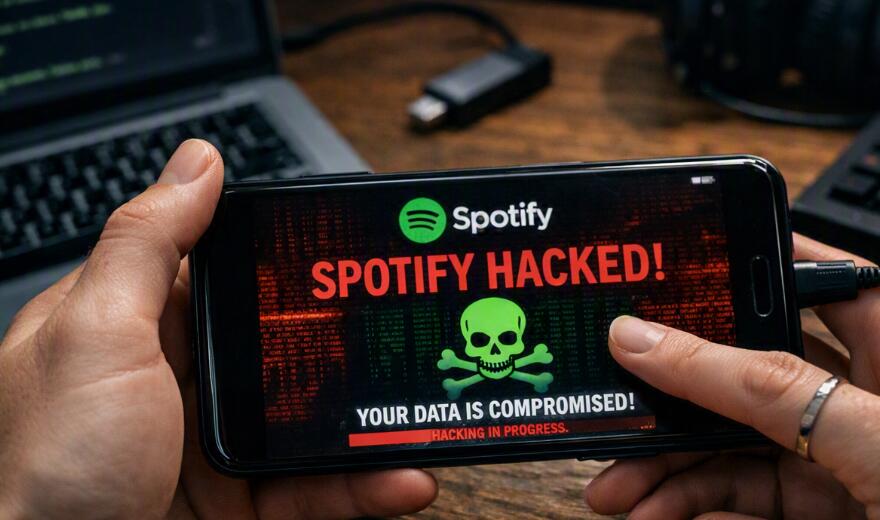
Spotify accounts can be compromised in several ways, and the warning signs are not always obvious at first. You may notice unfamiliar playlists, songs appearing in your listening history, unexpected changes to your profile, or music suddenly playing on a device you do not recognize. In more serious cases, an attacker may change your password or replace the email address associated with your account, making it difficult to sign in normally.
If you suspect that your Spotify account has been hacked, the most important thing is to act quickly without making the situation worse. The recovery method depends on what the attacker changed. A password-only compromise is usually easier to recover from than a situation in which both your password and email address have been changed. You should also consider whether the attacker gained access through a reused password, a compromised email account, or a third-party service connected to Spotify.
- Read also: How to tell if your Instagram was hacked?
- How to tell if your Messenger was hacked?
- How to download songs to SD card from your phone?
- How to appear offline on WhatsApp in Android?
- How to lock & unlock apps on Android phones?
How to tell if your Spotify account has been hacked
A single unusual event does not always mean that your Spotify account has been compromised. For example, someone in your household may have used your account, or you may have forgotten that you logged in on another device. However, multiple unexplained changes are a strong reason to investigate immediately.
- Music appears in your recently played history that you never listened to.
- Unfamiliar playlists, followed artists, or saved songs appear on your account.
- Your profile name, picture, or other account information changes without your permission.
- Spotify repeatedly starts playing music on an unfamiliar device.
- You receive unexpected account-related emails or notifications.
- Your password suddenly stops working even though you did not change it.
- You discover that the email address associated with your Spotify account has changed.
- Your Premium subscription, payment information, or plan appears different from what you expected.
- You receive alerts about sign-ins or account activity that you do not recognize.
If you see several of these signs together, treat the account as potentially compromised. Do not continue testing random passwords repeatedly. Instead, move to the appropriate recovery procedure and secure the email account associated with Spotify as well.
First steps to take when your Spotify account may be hacked
Before dealing with the specific recovery scenario, take a few immediate precautions. These steps can reduce the attacker's ability to maintain access while you work on recovering the account.
- Stop using any password that you suspect has been exposed or reused elsewhere.
- Check whether you can still sign in to your Spotify account.
- Check the email inbox and spam folder for legitimate Spotify account messages.
- Secure the email account connected to Spotify by changing its password if you suspect it was also compromised.
- Use a unique password for your email account and enable two-factor authentication where available.
- Do not give your Spotify password, email password, or recovery codes to anyone claiming to be support.
- Avoid clicking suspicious links in unsolicited messages that claim your Spotify account has been hacked.
It is especially important to secure your email account. If an attacker controls your email, they may be able to intercept password-reset messages and repeatedly regain access to Spotify even after you change the Spotify password.
Spotify was hacked and password changed
This is one of the most common recovery situations. You know the account still belongs to you, but the password you previously used no longer works. If the attacker changed only the Spotify password and did not change the email address, you may still be able to recover the account through the normal password-reset process.
How to recover Spotify when only the password was changed
Follow these steps if your original email address is still associated with the account:
- Open Spotify's official account login or password-reset page.
- Enter the email address or username associated with your Spotify account.
- Request a password-reset email.
- Check your inbox, spam, junk, and promotional folders for the reset message.
- Open the legitimate Spotify password-reset message and follow its instructions.
- Create a strong, unique password that you have never used on another service.
- Sign in again and review your account information.
- Sign out of unfamiliar devices or use Spotify's available account-wide sign-out option if appropriate.
- Review your playlists, profile information, connected services, and subscription details for unauthorized changes.
Do not reuse an old password, particularly if you previously used the same password on another website. Attackers frequently exploit password reuse because one leaked password can potentially unlock several unrelated accounts.
Spotify was hacked and email changed
This situation is more serious because the attacker has changed the email address used to control the account. A normal password reset may no longer reach you because the reset message could be sent to the attacker's email address instead of yours.
How to recover Spotify when both email and password were changed
If you believe the email address and password were both changed without your permission, focus on proving ownership through Spotify's official support and account-recovery channels.
- Search your original email inbox for older Spotify messages.
- Look for a legitimate notification indicating that your Spotify email address was changed.
- Keep the original email address associated with the account available as evidence.
- Gather relevant account information, such as your Spotify username or profile information.
- If you have a Premium subscription, gather non-sensitive billing information that can help demonstrate account ownership.
- Contact Spotify through its official support process and explain that the account was compromised and the email address was changed without your permission.
- Follow Spotify's instructions for verifying ownership and restoring the account.
- Once access is restored, immediately create a new unique password and verify that the email address has been returned to your own address.
- Review the account for additional unauthorized changes.
Never send your full payment-card number, banking password, email password, or other unnecessary credentials to someone claiming to be a recovery agent. Legitimate account recovery should not require you to disclose passwords that belong to other services.
What if the hacker still has access after you recover the account?
Changing the password may not be enough if the attacker has access through another authentication method, a compromised email account, or a connected third-party application. Once you regain control, perform a broader security review instead of assuming the problem is completely solved.
Check connected apps and third-party access
Review applications and services that have access to your Spotify account. Remove anything you do not recognize or no longer use. An unfamiliar connected application may explain why unauthorized activity continues even after you change the password.
Secure your email account
Your email account is particularly important because it can be used to reset passwords. If you suspect that your email was compromised, change its password immediately and enable available security features such as two-factor authentication. Also review recent sign-ins, recovery addresses, forwarding rules, and unfamiliar devices if your email provider offers these controls.
What if Spotify keeps playing music I did not choose?
Unexpected playback does not automatically prove that your account was hacked. Spotify may be active on another device where you previously signed in, or another person may have access to the same account. However, persistent unfamiliar playback should still be investigated.
- Check whether another person in your household has access to your account.
- Review the devices currently associated with your Spotify session.
- Sign out of devices you no longer recognize or use.
- Change your Spotify password.
- Check your email account for suspicious activity.
- Review third-party applications connected to Spotify.
If unfamiliar playback continues after these measures, contact Spotify support and explain the behavior clearly. Provide dates, device names, and other non-sensitive information that may help identify the problem.
How to prevent your Spotify account from being hacked again
Recovery solves the immediate problem, but prevention is equally important. The strongest protection usually comes from securing the entire chain of accounts and devices rather than relying on the Spotify password alone.
- Use a unique and strong password for Spotify.
- Never reuse your Spotify password on other websites.
- Use a reputable password manager to create and store unique passwords.
- Protect the email account associated with Spotify with a strong, unique password.
- Enable two-factor authentication on your email account and other important services that support it.
- Keep your phone, computer, browser, and security software up to date.
- Avoid entering passwords into links received through suspicious messages.
- Review connected third-party applications periodically.
- Do not share your account credentials with friends, websites, or unofficial support accounts.
A particularly important habit is learning to recognize phishing. A message can look convincing while directing you to a fake login page designed to steal your password. When you receive an unexpected security message, open Spotify or its official support website directly instead of relying on the link in the message.
Final checklist for a compromised Spotify account
If you are unsure what happened, use the following checklist to work through the problem systematically. First determine whether you can still access the account. Then establish whether the email address, password, or both have changed. This distinction determines which recovery route is most appropriate.
- Password changed, email unchanged: use the official password-reset process, then secure the account and review activity.
- Email and password changed: contact Spotify through its official support and recovery process and provide appropriate ownership information.
- Unknown playback or devices: sign out unfamiliar sessions, change your password, and investigate connected services.
- Suspicious payment activity: review your subscription and contact the appropriate payment provider if unauthorized charges appear.
- Email account also compromised: secure the email account first or at the same time, because it can be used to reset Spotify.
- Recovery repeatedly fails: use Spotify's official support channels rather than third-party recovery services.
Conclusion
A hacked Spotify account can range from a simple unauthorized login to a more serious takeover in which the attacker changes both the password and email address. The key is to identify exactly what changed and choose the recovery method accordingly. If only the password was changed, a password reset may restore access quickly. If the email address was also changed, you will generally need to work with Spotify's official account-recovery or support process to establish ownership.
After recovering the account, do not stop at changing the Spotify password. Secure the email account connected to Spotify, remove unfamiliar third-party access, review account activity, and use a unique password going forward. Taking these additional steps can help prevent the same credentials or compromised recovery channel from being used to take over your Spotify account again.