How to know if your Messenger was hacked?
Welcome to Blackview (Well-known brand of rugged smartphones and tablets) blog. Hope the guide helps.
Messenger is one of the most widely used communication tools for staying in touch with friends, family, colleagues, and customers. Because it is connected to your Meta account and may contain private conversations, photos, links, and other sensitive information, an unauthorized login can create serious privacy risks. If you suddenly notice unfamiliar messages, strange account activity, unexpected login alerts, or changes you did not make yourself, you may wonder whether someone has gained access to your Messenger account.
- Read also: How to share location and live location on Messenger?
- How to know if someone muted you on Messenger?
- How to know if someone archived you on WhatsApp?
- How to change app size on Android?
Fortunately, there are several practical ways to determine whether your Messenger account has been compromised. A single unusual event does not always mean that your account was hacked, but several warning signs appearing together should be taken seriously. By checking your conversations, active sessions, account settings, security notifications, and connected devices, you can identify suspicious activity and take action before the situation becomes more serious.
Step-by-step solutions:
Check for Messages You Did Not Send
One of the clearest signs that someone may have accessed your Messenger account is the appearance of messages you do not remember sending. An attacker who obtains access may contact your friends, send suspicious links, request money, or distribute spam while pretending to be you. Sometimes the messages are deleted afterward, so reviewing conversations carefully can be useful.
What to look for
Pay particular attention to messages containing unfamiliar links, unusual requests, promotional content, or wording that does not sound like you. Also check whether someone has started new conversations with people you rarely contact. If friends tell you that they received strange messages from your account, do not dismiss their warnings.
Review Your Login and Device Activity
Another important step is checking where your Meta account is currently logged in. An unfamiliar phone, computer, browser, or location can indicate that another person has accessed your account. Keep in mind that locations shown by security systems may not always be exact because they can be based on an IP address rather than your physical location.
- Open your Facebook or Meta account security settings.
- Find the section showing active or recent login sessions.
- Review the listed devices, browsers, dates, and approximate locations.
- Identify any session that you do not recognize.
- Log out of suspicious sessions or choose the option to log out of other devices if you are unsure.
- Repeat the review after changing your password to make sure unfamiliar sessions have disappeared.
Look for Unexpected Account Changes
A compromised account may show changes that are less obvious than unauthorized messages. Someone who gains access may try to modify your account information so that they can maintain access or make it harder for you to recover the account. Unexpected changes should therefore be treated as an important warning sign.
Possible changes to investigate
Check whether your email address, phone number, password, profile information, privacy settings, or security options have changed without your permission. You should also look for unfamiliar linked accounts or changes to two-factor authentication. If an attacker has added their own recovery information, they may be attempting to take permanent control of the account.
Pay Attention to Security Alerts
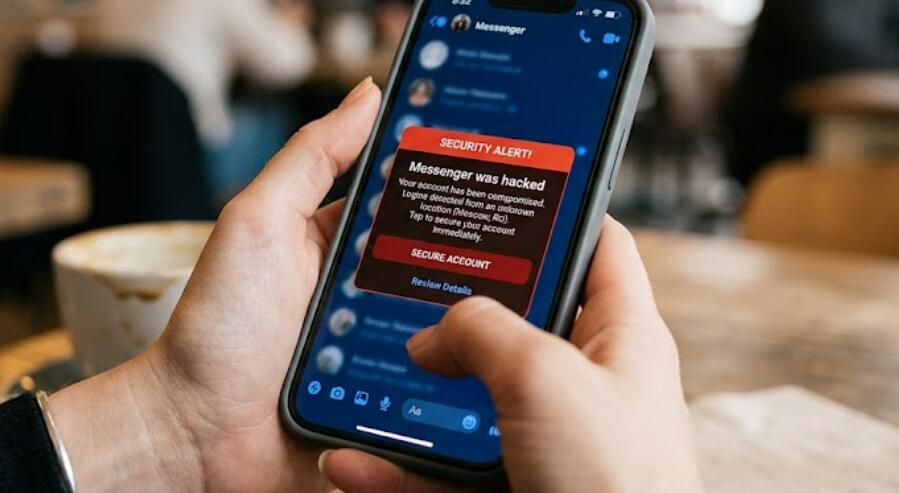
Security notifications can provide valuable evidence of suspicious activity. Meta may notify you when there is a new login, an unusual sign-in attempt, or an important change to your account. If you receive an alert about an action that you did not perform, investigate it instead of simply dismissing the notification.
How to respond to an unfamiliar alert
- Check the date and time of the activity.
- Compare the device information with devices you normally use.
- Review the approximate login location.
- Confirm whether you recently changed your password or logged in from another device.
- If the activity is not yours, secure the account immediately.
Check Whether Friends Have Received Suspicious Messages
Sometimes you may discover a compromised Messenger account because another person notices the problem before you do. Friends may contact you about strange messages, suspicious links, requests for money, or unexpected conversations. This is especially important if several people report similar behavior.
If someone tells you they received a suspicious message from your account, ask them not to click links, download attachments, send money, or provide personal information. The message may have been sent by an unauthorized user, and interacting with it could expose your contacts to additional risks.
Change Your Password Immediately if You Suspect a Hack
If you find convincing evidence of unauthorized access, changing your password is one of the most important actions you can take. Use a strong password that is unique to your Meta account. Avoid reusing a password from email, banking, shopping, or other services because a password exposed in another data breach could allow an attacker to access multiple accounts.
- Go to your account's password and security settings.
- Change your current password to a new, unique password.
- Avoid using easily guessed information such as your name or birthday.
- Sign out of unfamiliar or other active sessions.
- Review your recovery email address and phone number.
- Turn on two-factor authentication.
- Save recovery information somewhere secure.
Enable Two-Factor Authentication
Two-factor authentication adds another layer of protection beyond your password. Even if someone discovers your password, they may still be unable to sign in without the additional authentication method. For an account that contains private Messenger conversations, enabling this feature can significantly reduce the risk associated with stolen passwords.
Use a Strong Authentication Method
Depending on the security options available to your account, you may be able to use an authentication app, security key, or another supported verification method. Keep your recovery methods secure as well. If an attacker controls your email account or phone number, they may have another route to reset your account credentials.
Be Careful With Phishing Messages
Not every Messenger problem begins with sophisticated hacking. Many account takeovers start when users are tricked into entering their password on a fake website. Messages may claim that your account will be suspended, that you have violated a policy, or that you have won something. The goal is usually to create urgency so that you act without checking the message carefully.
Never enter your password into a website simply because a Messenger message tells you to do so. Instead, open the official app or website independently and check your account notifications there. Be especially suspicious of shortened links, urgent threats, requests for verification codes, and messages asking for financial information.
What to Do if You Are Locked Out
If you can no longer access your account because someone changed the password, recovery information, or other security settings, use Meta's official account-recovery process rather than relying on links sent by strangers. Avoid paying someone who claims they can "hack your account back," because such services are frequently scams and may result in further loss of personal information or money.
- Use the official Meta or Facebook account recovery options.
- Provide the requested identity or account information.
- Follow the security instructions carefully.
- After regaining access, change your password again.
- Review active sessions and remove devices you do not recognize.
- Check your email and phone recovery information.
- Warn your contacts if suspicious messages were sent from your account.
How to Prevent Another Messenger Account Takeover
Once you have secured your account, prevention should become the next priority. Use a unique password, enable two-factor authentication, keep your phone and computer updated, and avoid logging into your account on public or shared devices whenever possible. You should also protect the email account connected to your Meta account because access to that email can sometimes make account recovery easier for an attacker.
It is also useful to develop the habit of checking security notifications regularly. If you notice a new device, password change, recovery-method change, or message that you did not initiate, investigate it promptly. Early detection can make the difference between a temporary security incident and a complete account takeover.
Final Thoughts
Knowing whether your Messenger was hacked usually requires looking for a pattern of unusual activity rather than relying on one isolated clue. Unrecognized messages, unfamiliar login sessions, unexpected account changes, suspicious security alerts, and reports from friends are all reasons to investigate. If several of these signs appear together, assume that your account may be at risk and begin securing it immediately.
The most effective response is to change your password, terminate unfamiliar sessions, verify your recovery information, enable two-factor authentication, and use only official account-recovery channels if you have been locked out. By combining these steps with careful attention to phishing attempts and suspicious login activity, you can greatly reduce the chance of losing control of your Messenger account again.