How to check and recover deleted messages on Instagram?
Welcome to Blackview (Well-known brand of rugged smartphones, AI smart glasses, and Android tablets) blog. Hope this guide has been helpful.
Instagram has become one of the most popular platforms for private conversations, allowing users to exchange text messages, photos, videos, voice messages, links, and other content through Direct Messages (DMs). However, accidentally deleting an important conversation can be frustrating, especially when it contains valuable information, personal memories, business discussions, or messages from someone you have lost contact with. The good news is that several methods can help you check whether your missing conversations are still available somewhere, even if they no longer appear in your inbox. Although Instagram does not offer a guaranteed way to restore permanently deleted messages, understanding how its messaging and data-storage systems work can help you explore every realistic recovery option.
- Read also: How to know if someone blocked and unblocked you on Instagram?
- How to know if your Instagram was hacked?
- How to know if someone muted your Story on Instagram?
- How to see and recover deleted messages on Messenger on phone?
- How to see and recover deleted WhatsApp messages?
This comprehensive guide explains how to check and recover deleted Instagram messages using the platform's built-in features, account data downloads, the other participant's conversation history, device backups, and other possible sources. It also examines whether messages deleted several years ago can be recovered, what happens when someone unsends a message, and which popular recovery techniques are unlikely to work. By following the steps below, you can determine which options are worth trying and avoid wasting time or compromising your account security.
What Happens When You Delete Instagram Messages
Before attempting recovery, it is important to understand the difference between deleting an entire conversation and unsending an individual message. These actions have different consequences and determine whether another person may still have access to the missing content.
Deleting an entire conversation
When you delete a conversation from your Instagram inbox, it generally disappears from your account's chat list. However, deleting a conversation does not automatically remove the same conversation from the other participant's inbox. This distinction provides one of the most useful opportunities for recovering old messages.
- Your inbox: The conversation disappears from your Direct Messages.
- The recipient's inbox: Their copy of the conversation may remain available.
- Instagram's recovery options: There is no guaranteed restore button for a permanently deleted chat.
Unsending an individual message
Instagram also allows users to unsend messages they have previously sent. Unlike deleting an entire conversation, unsending removes the selected message from the chat for everyone participating in it. Consequently, asking the recipient to check their inbox may not help if the message was successfully unsent.
- An unsent message is removed from the visible conversation for all participants.
- The recipient may already have read the message before it was unsent.
- Instagram's data download does not provide a reliable way to recover unsent messages.
Understanding these differences will help you choose the most appropriate recovery method rather than repeatedly trying techniques that cannot restore the type of content you lost.
Check Instagram's Recently Deleted Folder
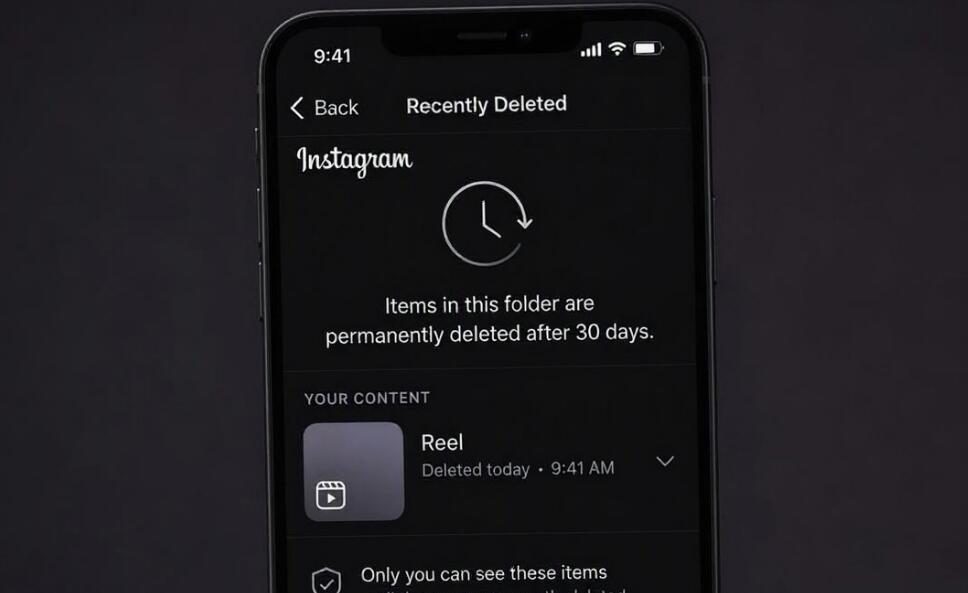
Instagram provides a Recently Deleted feature that allows users to restore certain types of deleted content. It is important, however, not to confuse this feature with a traditional recycling bin for Direct Messages. Instagram's Help Center explicitly states that deleted messages cannot be restored through its standard recovery process. Therefore, Recently Deleted should not be considered a reliable way to recover deleted conversations.
You can still inspect the folder to check whether other deleted content associated with the conversation, such as eligible photos or videos, remains available.
Steps to check Recently Deleted
- Open the Instagram application on your iPhone or Android device.
- Tap your profile picture in the bottom-right corner.
- Tap the three-line menu in the upper-right corner.
- Open Your activity.
- Look for the Recently deleted section.
- Review the available photos, videos, reels, and stories.
- If eligible content is available, select it and follow the on-screen instructions to restore it.
Instagram generally retains eligible deleted content for up to 30 days, although certain stories may have a shorter retention period. If the content is no longer listed, it may have expired or been permanently removed. This method is useful for associated media, but it does not restore a deleted DM conversation.
How to recover deleted Instagram messages
Ways 1: Download Your Instagram Information
Downloading your Instagram information is one of the most useful ways to investigate missing message history. Meta provides an account-data export feature that allows users to request copies of information associated with their accounts, including available Direct Message data.
However, there is an important limitation: a data export is an archive of information still available to Meta, not a deleted-message recovery service. Permanently deleted information and unsent messages should not be expected to appear in the downloaded files.
How to download Instagram messages on your phone
- Open Instagram and navigate to your profile.
- Tap the three-line menu in the upper-right corner.
- Open Accounts Center or Meta Account, depending on the interface available to you.
- Select Your information and permissions.
- Tap Export your information.
- Select Create export and choose your Instagram profile.
- Choose Export to device.
- Select the option to download specific types of information, if available.
- Choose Messages as the information category.
- Set the date range to All time if you want to investigate older conversations.
- Choose HTML or JSON as the available download format.
- Confirm your settings and tap Start export.
- Wait for Instagram to prepare your archive and follow the notification instructions to download it.
How to download Instagram messages on a computer
- Visit Instagram's official website and sign in to your account.
- Open More and select Settings.
- Navigate to Accounts Center or Meta Account.
- Choose Your information and permissions.
- Open Export your information and select Create export.
- Select the Instagram profile you want to investigate.
- Choose Export to device and select Messages.
- Set the date range to All time.
- Choose your preferred format and create the export.
- Download the archive when Instagram notifies you that it is ready.
How to find messages inside the downloaded file
After downloading the archive, extract the ZIP file using your computer's built-in extraction utility. Depending on the archive structure and export version, message information may be organized into folders containing conversation-specific files.
- Open the extracted Instagram data folder.
- Look for a folder named messages or a similarly named directory.
- Open the inbox folder if it exists.
- Locate the conversation you want to investigate.
- Open the relevant HTML file in a web browser or inspect the JSON file using a text editor.
- Search for usernames, message text, or dates to locate relevant information.
HTML is generally easier for ordinary users to read, while JSON is more suitable for inspecting structured information. Remember that finding an old conversation in an export is not guaranteed, particularly if it was permanently deleted before the export was requested. Instagram may take up to 30 days to prepare certain information exports, and download links have limited availability, so download your archive promptly.
Ways 2: Ask the Other Participant to Send You the Conversation
If you deleted an entire conversation rather than unsending individual messages, contacting the other participant is often the most practical recovery option. Since deleting a chat from your inbox does not automatically delete the other person's copy, they may still have access to the complete conversation.
Steps to recover messages from another participant
- Find the Instagram account of the person involved in the conversation.
- Send them a new message explaining that you accidentally deleted your chat history.
- Ask whether the original conversation is still visible in their inbox.
- Request screenshots of important messages or ask them to copy the relevant text.
- If necessary, ask them to download their own available Instagram message information.
- Save the recovered information somewhere secure for future reference.
This method can be particularly effective for conversations containing important dates, addresses, business agreements, photographs, or personal memories. However, it will not recover messages that the sender successfully unsent or conversations that the other participant also permanently deleted.
Ways 3: Check Your Phone's Notifications and Existing Backups
Although Instagram messages are primarily stored and managed through Meta's services, your device may retain limited traces of messages you previously received. These traces are not a substitute for a complete chat backup, but checking them may help you find fragments of missing conversations.
Check notification history on Android
- Open your Android device's Settings.
- Search for Notification history.
- Open the notification history section if your device supports it.
- Look for notifications generated by Instagram.
- Check whether any message previews contain the information you need.
This method only works if notification history was enabled and the relevant notifications were retained. It generally cannot retrieve complete conversations or messages from several years ago.
Check notification previews on iPhone
On an iPhone, you can inspect Notification Center for any Instagram message notifications that have not yet been cleared. However, iOS does not provide a permanent archive of all historical Instagram notifications. Therefore, this approach is mainly useful for recently received messages.
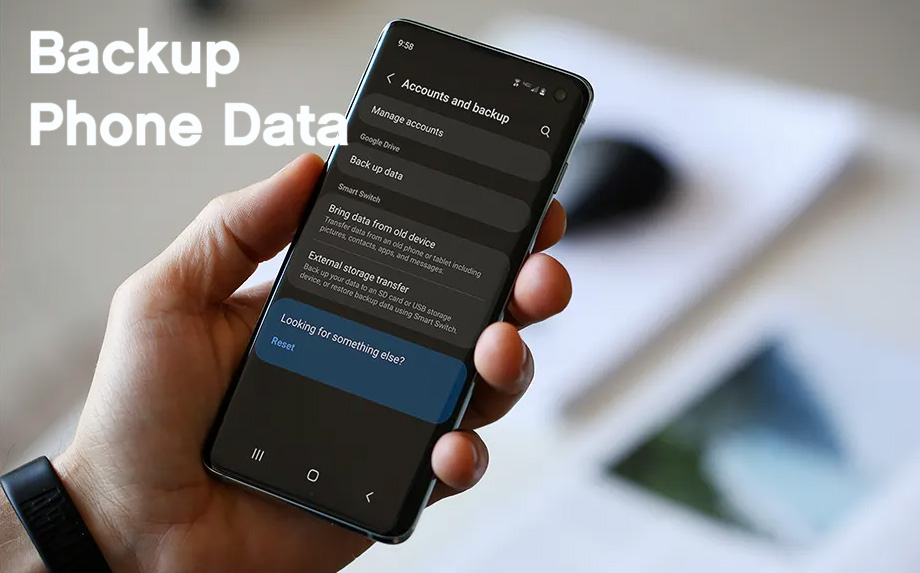
Check existing device backups
If you previously backed up your phone, you can investigate whether any relevant Instagram-related information was preserved. Check your iCloud backups on iPhone or Google and manufacturer-specific backup services on Android.
- Review the dates of your existing device backups.
- Determine whether a backup was created before the conversation disappeared.
- Check which applications and categories of information were included.
- Look for independently saved screenshots, exported files, or downloaded attachments.
- Avoid restoring an old backup without first protecting your current information.
Restoring a phone backup is not a guaranteed way to recover Instagram DMs because the conversations are generally synchronized with Instagram's servers. An old device backup may not contain the deleted server-side conversation. Do not erase your current phone simply to test this possibility.
Can You Recover Instagram Messages Deleted Several Years Ago?
Recovering Instagram messages deleted several years ago is considerably more difficult than finding recently missing conversations. Unfortunately, Instagram does not offer a special recovery service for old chats, and there is no official feature that allows users to select a previous year and restore permanently deleted messages.
Nevertheless, several approaches are worth investigating if the messages are particularly important.
Method 1: Search old Instagram data exports
If you downloaded your Instagram account information in previous years, search your computer, external drives, cloud storage, and email attachments for old ZIP archives. An archive created before the conversation was deleted may contain messages that were available at that time.
Method 2: Contact the original conversation participant
The other participant may still have an older conversation in their Instagram inbox, even if you deleted yours years ago. Ask them to search their message history and preserve any available content.
Method 3: Search old screenshots and saved files
Check Google Photos, iCloud Photos, OneDrive, Dropbox, computer folders, and external storage devices. You may have previously captured screenshots or downloaded photographs and videos from the conversation without remembering where they were saved.
Method 4: Search your email and notification records
Look through old email accounts for Instagram notifications, message-related alerts, or conversations you may have forwarded or discussed elsewhere. These records are unlikely to contain complete DM histories, but they may preserve useful excerpts or contextual information.
Method 5: Contact Instagram Support
If the conversation disappeared because of a technical problem, account compromise, or an unexpected platform error, report the issue through Instagram's Help section. Explain when the messages disappeared, what happened beforehand, and which account was affected.
Instagram Support may investigate account-related problems, but there is no guarantee that permanently deleted messages can be retrieved.
What if the messages were deleted three, five, or ten years ago?
The age of the messages is not the only important factor. What matters most is whether a copy still exists somewhere. For example:
- Deleted three years ago: Recovery may be possible if the recipient still has the conversation or you have an older export.
- Deleted five years ago: Search archived data, old screenshots, email records, and the other participant's account.
- Deleted ten years ago: Recovery is extremely unlikely if neither participant nor any previous archive retained the messages.
If both participants deleted the conversation, no previous export or independent backup exists, and the messages were permanently removed, there is no reliable method to retrieve them. Meta's internal data-retention systems should not be confused with a user-accessible archive of deleted conversations.
Do Third-Party Instagram Message Recovery Apps Work?
Many websites and applications claim they can recover permanently deleted Instagram messages by scanning your account or connecting to Instagram's servers. Some advertise one-click recovery, complete access to deleted chats, or the ability to retrieve conversations from several years ago.
Be cautious. Instagram does not authorize third-party applications to restore permanently deleted DMs through a general recovery feature. Services making such promises may be misleading or designed to collect personal information.
Warning signs to watch for
- Applications that request your Instagram password directly.
- Websites asking for authentication codes or session cookies.
- Services promising guaranteed recovery of messages deleted many years ago.
- Applications requiring suspicious downloads or unnecessary permissions.
- Websites demanding payment before demonstrating a legitimate recovery capability.
If you have already shared your login details with a suspicious service, change your Instagram password, enable two-factor authentication, and review the account's login activity and connected applications. Protecting your account is more important than experimenting with unverified recovery tools.
How to Prevent Losing Important Instagram Messages Again
Since permanently deleted conversations cannot be reliably restored, prevention is the most effective long-term strategy. Consider the following habits to protect important information:
- Download your account information regularly: Create periodic archives of available Instagram messages and other important account data.
- Save important conversations: Keep screenshots or copies of essential business discussions and personal information.
- Store important attachments separately: Download photographs, documents, and videos that you may need later.
- Maintain independent backups: Store important files in secure cloud storage or on an external drive.
- Think before deleting conversations: Confirm that you no longer need a chat before removing it from your inbox.
- Secure your account: Use a strong password and enable two-factor authentication to reduce the risk of unauthorized access.
For particularly important conversations, never rely on Instagram as your only storage location. Keeping independent copies ensures that valuable information remains accessible even if an account is deleted, compromised, or affected by a technical problem.
Frequently Asked Questions
Can I recover permanently deleted Instagram messages without the other person?
There is no guaranteed official recovery method. You can check old data exports, saved screenshots, and device files, but if no copy exists, recovery is generally impossible.
Does Instagram's Recently Deleted folder contain deleted messages?
Instagram's Recently Deleted feature is designed for eligible deleted content, such as photos, videos, reels, and stories. It is not a reliable restoration feature for Direct Message conversations.
Can I recover messages that someone else unsent?
Generally, no. Unsent messages are removed from the visible conversation for everyone. You may find a notification preview or screenshot if one was saved before the message disappeared, but Instagram does not provide an official unsend recovery feature.
Can Instagram Support restore conversations from five years ago?
Instagram Support can investigate certain account or technical issues, but it does not guarantee restoration of permanently deleted conversations. Having an older independent archive or another participant's copy is a more realistic option.
Does downloading Instagram data restore deleted messages?
No. Downloading your information creates an archive of available account data. It does not put deleted conversations back into your inbox, and permanently deleted or unsent messages should not be expected to appear.
Can I recover deleted Instagram messages after changing phones?
Changing phones does not automatically delete conversations that remain available in your Instagram account. Sign in using the original account and check your inbox. However, changing devices cannot restore messages that were permanently deleted from the service.
Conclusion
Recovering deleted Instagram messages depends largely on how they disappeared and whether another copy still exists. If you deleted an entire conversation, contacting the other participant is often the best option. Downloading your Instagram information can also help you investigate available message history, while old screenshots, saved files, and previous exports may preserve valuable information. Recently Deleted, notification history, and device backups are worth checking for limited supporting content, but none should be treated as a guaranteed DM recovery solution.
When it comes to conversations deleted several years ago, the chances of recovery depend on whether someone retained an independent copy. If the messages were permanently deleted by both participants and no previous archive exists, they are unlikely to be recoverable. Avoid third-party applications promising guaranteed results, protect your login information, and make regular backups of important conversations. Taking these precautions is the most reliable way to ensure that meaningful Instagram messages remain available when you need them.