How to judge if someone blocked or unblocked you on Instagram?
Welcome to Blackview (World's well-known brand of rugged smartphones, AI smart glasses, and tablets) blog. Hope this guide has been helpful.
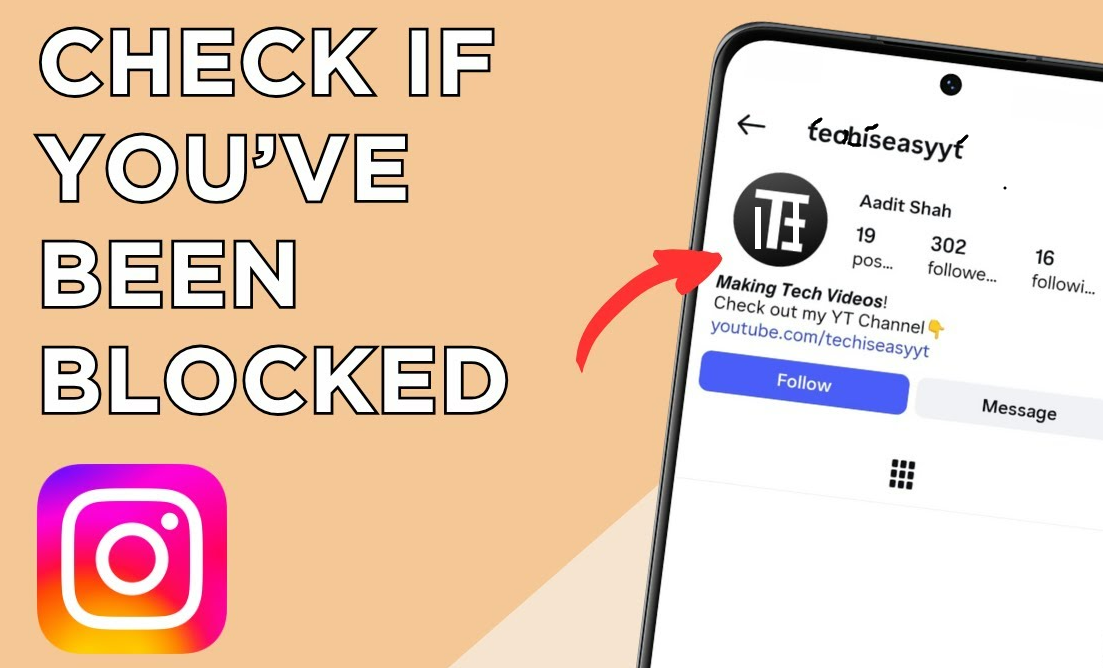
Instagram does not normally send a notification when someone blocks your account, and it also does not notify you if that person later unblocks you. As a result, determining whether someone blocked and then unblocked you requires looking at changes in what you can see and do from your account. A profile that disappears, messages that behave differently, or a username that becomes searchable again can all provide clues, but no single sign should automatically be treated as absolute proof.
- Read also: How to know if someone muted your Stories on Instagram?
- How to know if someone muted you on Instagram/Instagram DM?
- How to send location on Instagram?
- How to fix audio unavailable on Instagram Story?
- How to block or unblock someone on TikTok without them knowing?
The situation can be particularly confusing because an Instagram account may become unavailable for several other reasons. The person could have temporarily deactivated the account, changed their username, deleted the account, restricted certain interactions, or experienced an account-related problem. The most reliable approach is therefore to compare several signs and, when possible, check the profile from another independent account or through a logged-out browser view without attempting to bypass someone's privacy settings.
What happens when someone blocks you on Instagram?
When an Instagram user blocks your account, your ability to interact with that account can be significantly affected. You may no longer be able to find the person's profile normally, view their posts, or interact with their content. Existing conversations may also behave differently. However, Instagram's interface can change, and the exact appearance of a blocked profile may vary depending on the app version and account circumstances.
One important point is that being unable to find a profile does not automatically prove that you were blocked. A username change, account deactivation, deletion, or temporary technical issue can produce similar results. For this reason, it is better to treat individual signs as evidence rather than confirmation.
How to check whether someone may have blocked you
Start by checking the person's Instagram profile from your own account. Avoid repeatedly contacting the person or creating additional accounts simply to investigate the situation. The goal is to compare ordinary account behavior and distinguish blocking from other explanations.
Step 1: Search for their username
Open Instagram and use the search function to look for the person's current username. If the account does not appear, consider whether you know that the username is still correct. A missing result can be consistent with blocking, but it can also happen if the username has changed or the account is unavailable.
- Open Instagram.
- Tap the search icon.
- Enter the person's known username.
- Check whether the expected profile appears.
- If it does not appear, verify that you are using the correct username.
If you can find the profile from another account while it remains unavailable from your account, that difference can be a stronger indication that your account has been blocked. It is still worth considering other account-specific explanations before drawing a conclusion.
Step 2: Check an existing conversation
If you previously exchanged Instagram Direct messages with the person, open the conversation and inspect what information is currently available. A conversation that remains in your inbox does not necessarily mean the person has not blocked you. Blocking can affect what you can do with the account even when older conversation history remains visible.
- Open Instagram Direct Messages.
- Find the previous conversation.
- Open the conversation and tap the person's profile information if available.
- Check whether their profile can still be accessed normally.
- Compare what you can see with what you previously saw.
Do not rely solely on the message thread. Instagram's handling of older conversations and unavailable accounts can vary, so the conversation should be considered alongside profile-search results and other observations.
Step 3: Compare the profile from another account
If you legitimately have access to another Instagram account, you can compare whether the profile is visible there. You can also ask a trusted person to check whether the account is publicly visible to them. This comparison can help distinguish a problem affecting your account from a profile that is unavailable to everyone.
- Use an account that already belongs to you or ask a trusted person for a normal profile check.
- Search for the same username.
- Check whether the profile exists and is visible from that account.
- Compare the result with what you see from your primary account.
If another account can access the profile while your account cannot, blocking becomes one possible explanation. It is not necessary to create new accounts to investigate someone who has chosen to limit access, and doing so can undermine their privacy or violate platform rules.
How to tell if you were later unblocked
If someone unblocks you, Instagram generally does not provide a notification saying that the block has been removed. Instead, you may notice that the person's profile becomes searchable and accessible again. Depending on the account's privacy settings, you may still need to follow the person again or request to follow them.
Signs that access may have returned
Look for changes rather than a single event. If a profile that previously could not be found suddenly becomes visible from your account, this may indicate that the account is available again. Check whether the profile page loads normally and whether the available follow, message, or content options have changed.
- Search for the person's username again.
- Open the profile if it appears.
- Check whether the profile information is visible.
- Look at the available follow or message options.
- Compare the profile's visibility with what you observed while it was unavailable.
Remember that renewed visibility does not prove that the person specifically unblocked you. They could have reactivated their account, changed privacy settings, or resolved another account issue. The timing can provide context, but Instagram generally does not give you a historical record showing exactly when another person blocked or unblocked your account.
Can you know for certain that someone blocked and unblocked you?
Usually, you cannot establish the complete history with absolute certainty from Instagram alone. The platform does not generally provide users with a public blocking history for another person's account. You can identify patterns that are consistent with blocking and later unblocking, but you may not be able to determine exactly what happened or when it happened.
A practical approach is to separate observable facts from assumptions. For example, “the profile was unavailable to my account yesterday and visible today” is an observation. “They blocked me yesterday and deliberately unblocked me today” is an interpretation. Keeping that distinction in mind can prevent misunderstandings.
6 frequently asked questions
1. Will Instagram notify me if someone blocks me?
No direct notification is normally provided simply because another user blocks your account. You may discover the change through differences in profile visibility or interaction, but Instagram does not ordinarily send a “you have been blocked” alert.
2. Will I receive a notification when someone unblocks me?
Instagram generally does not send a notification when another user removes a block. You may only notice because the account becomes accessible again or because your ability to interact with the profile changes.
3. Can I still see old messages if someone blocked me?
An existing Direct Message conversation may remain in your message history, but the ability to interact with the other account can change. Therefore, the continued presence of old messages does not by itself prove that you have not been blocked.
4. Does being unable to find someone always mean they blocked me?
No. The person may have changed their username, deactivated their account, deleted the account, or become temporarily unavailable. Checking whether the profile can be found from another legitimate account can provide additional context.
5. If someone unblocks me, will I automatically follow them again?
You should not assume that a previous follow relationship will automatically be restored. Depending on the account's settings and what happened previously, you may need to follow the account again or send a new follow request.
6. Can I find out exactly when someone blocked me?
Instagram does not generally provide a user-facing timeline showing when another person blocked or unblocked your account. You may infer a rough timeframe from your own observations, screenshots, or message history, but that is different from having an official record.
Final thoughts
The best way to investigate a suspected Instagram block is to compare several ordinary signs rather than relying on one clue. Search for the username, review an existing conversation, and, where appropriate, compare the profile's availability from another legitimate account. If the profile later becomes visible again, that may be consistent with an unblock, but it does not provide definitive proof of the other person's actions.
Most importantly, remember that Instagram does not provide a complete public history of blocking and unblocking activity. A missing profile or changed interaction can have multiple explanations, so avoid treating assumptions as confirmed facts. If another person has intentionally limited contact, respecting that boundary is the safest approach while using the available account information only to understand what has changed.