How to tell if someone has secretly logged into my WhatsApp?
Welcome to Blackview (World's well-known brand of rugged phone and tablet) blog. Hope the guide helps.
WhatsApp is one of the most widely used messaging applications in the world, making it an attractive target for anyone who wants unauthorized access to private conversations. In many cases, users become concerned after noticing unusual activity, such as messages marked as read, unknown linked devices, or unexpected login notifications. However, it is important to understand that these signs do not automatically mean that WhatsApp has been hacked. Sometimes the concern is simply that another person may have learned your account information or briefly gained access to your phone and linked your WhatsApp to another device.
- Read also: How to recover deleted WhatsApp messages?
- How to know if someone muted you on WhatsApp?
- How to know if someone archived you on WhatsApp?
If you suspect that someone may secretly know your WhatsApp account information or may have connected your account to another device without your permission, there are several safe ways to verify your account security. By checking linked devices, reviewing account settings, and enabling additional security features, you can quickly determine whether there is any unauthorized access. The following guide explains the most effective methods and the steps you should take without assuming that your WhatsApp account has been compromised by hackers.
Although WhatsApp protects accounts with end-to-end encryption and verification systems, users should still perform routine security checks. These checks can help identify unfamiliar devices, prevent future unauthorized access, and provide peace of mind if you believe someone else may know your login details or had temporary physical access to your phone.
Signs That Someone May Have Access to Your WhatsApp
Before taking any action, look for common indicators that could suggest another person has connected to your WhatsApp account. These signs are not proof of hacking, but they may justify a closer inspection.
Unrecognized Linked Devices
If WhatsApp Web or a companion device appears in your Linked Devices list that you do not recognize, someone may have paired your account without your knowledge.
Unexpected Read Messages
If messages appear as read before you open them, or conversations seem to have been viewed, it may indicate that another linked device has accessed your chats.
Unknown Login Notifications
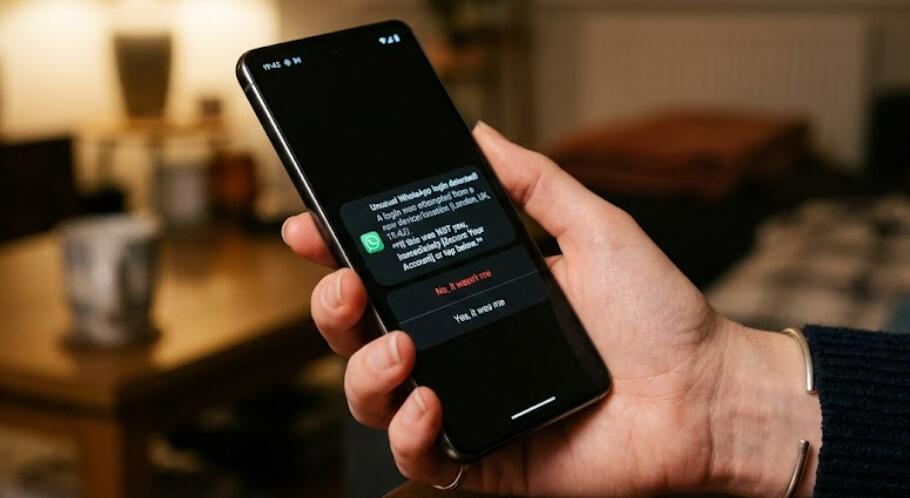
WhatsApp occasionally displays notifications when a new device is linked. If you receive such a notification unexpectedly, it is worth checking your account immediately.
How to Check Whether Someone Logged Into Your WhatsApp
The following steps will help you determine whether another device is connected to your WhatsApp account.
- Open WhatsApp on your smartphone.
- Go to Settings or tap the menu icon, depending on your device.
- Select Linked Devices.
- Review every device currently connected to your account.
- Check the device type, browser, approximate location, and last active time if available.
- If you recognize every device, your account is likely secure.
- If you see an unfamiliar device, select it and choose Log Out immediately.
What to Do If You Find an Unknown Device
If you discover a device that you did not authorize, take action as soon as possible to prevent further access.
- Log out of the unknown linked device.
- Enable two-step verification in WhatsApp settings.
- Create a strong six-digit PIN that others cannot guess.
- Add a recovery email address if prompted.
- Lock your phone with a secure passcode, fingerprint, or facial recognition.
- Avoid sharing verification codes with anyone.
- Monitor your Linked Devices page regularly.
How to Strengthen Your WhatsApp Security
Even if you do not find any suspicious devices, improving your account security is always recommended.
Enable Two-Step Verification
This adds an additional PIN requirement if someone attempts to register your WhatsApp account on another device.
Keep Your Phone Protected
Since WhatsApp is primarily linked to your phone, protecting your device with biometric authentication or a strong passcode greatly reduces the risk of unauthorized access.
Review Linked Devices Regularly
Checking the Linked Devices section every few weeks helps ensure that only your own devices remain connected.
Never Share Verification Codes
The SMS verification code sent by WhatsApp should never be shared with anyone, even if they claim to represent customer support.
Common Misunderstandings About WhatsApp Access
Many users assume that unusual account behavior means hackers have broken into WhatsApp. In reality, unauthorized access is more often related to someone temporarily using your unlocked phone, scanning the WhatsApp Web QR code, or knowing sensitive account information. Simply seeing suspicious behavior does not necessarily indicate that WhatsApp's security has been breached.
When There Is No Evidence of Another Login
If the Linked Devices list only shows your own devices and there are no unexpected login notifications or other unusual signs, there may be no unauthorized access at all. Routine security checks and enabling extra protection are usually sufficient to keep your account secure.
Checking whether someone has secretly logged into your WhatsApp is a straightforward process that mainly involves reviewing your Linked Devices and verifying your account security settings. Finding no unfamiliar devices is generally a reassuring sign that your account remains under your control, even if you were initially concerned that someone might know your account information.
By regularly reviewing linked devices, enabling two-step verification, protecting your smartphone with a secure lock, and never sharing verification codes, you can significantly reduce the chances of unauthorized account access. These simple precautions help keep your WhatsApp conversations private while providing confidence that your account is being used only by you.