How to know if your Snapchat is hacked & what to do?
Welcome to Blackview (Well-known Chinese brand of rugged smartphones, AI smart glasses, and Android tablets) blog. Hope this guide has been helpful.
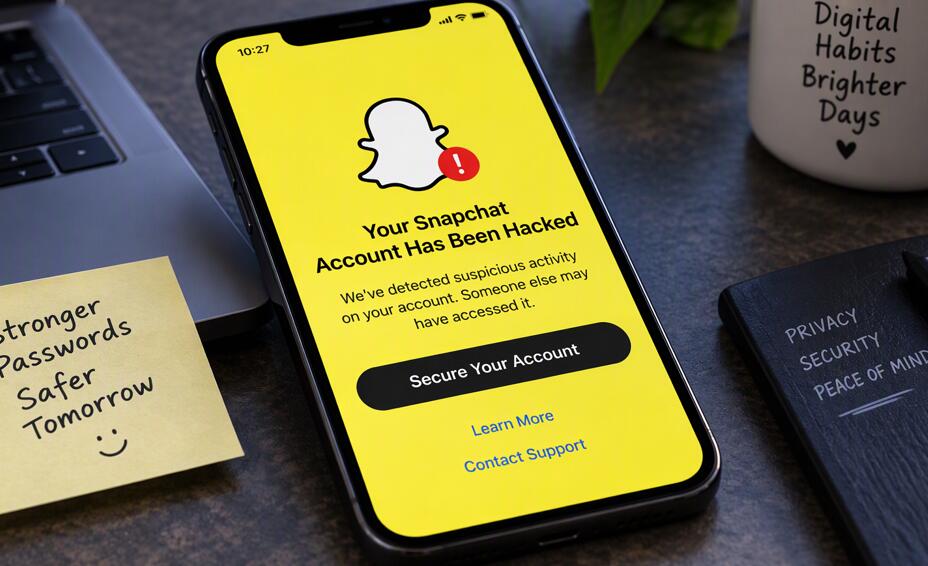
Snapchat is a popular platform for sharing photos, videos, messages, and personal moments, but its convenience can also make it a target for cybercriminals. If you notice unfamiliar messages, unexpected password-reset emails, or sudden changes to your account settings, you may wonder whether someone has gained unauthorized access. Although some unusual activity can result from technical issues or forgotten logins, recognizing the warning signs early can help you protect your account, personal information, and conversations.
- Read also: How to know if someone muted you on Snapchat?
- How to send a location with friends in Snapchat?
- How to tell if your Bluetooth is hacked?
- How to know if your WhatsApp is hacked?
- How to know if someone logged into your Snapchat account?
- How to fix Snapchat stop responding on your phone?
Knowing how to identify a compromised Snapchat account is only the first step. You also need to understand how attackers gain access, what to do if you lose control of your account, and when to seek help from Snapchat Support or law enforcement. This guide explains how to check for suspicious activity, secure your account, recover access, and reduce the risk of future attacks using practical, security-focused steps.
Will Snapchat be hacked?
Yes, Snapchat accounts can be hacked or compromised, although this does not necessarily mean Snapchat's entire platform has been breached. Attackers commonly target individual users through phishing links, stolen passwords, fake login pages, compromised email accounts, or social engineering. They may impersonate Snapchat Support, pretend to be a friend, or offer fake rewards to persuade users to disclose their login credentials or verification codes.
Another common risk is password reuse. If you use the same password for Snapchat and another service that experiences a data breach, attackers may try those credentials on Snapchat. Someone who gains access to your email account may also attempt to reset your Snapchat password.
Understanding these risks helps you distinguish an account-level compromise from a platform-wide security incident. Unusual activity does not automatically prove hacking, but it should prompt you to investigate promptly.
How to know if your Snapchat is hacked
Look for several warning signs rather than relying on a single notification. The following checks can help you determine whether your account may have been compromised.
Check for unusual account activity
Review your account for changes or actions you do not recognize. Pay particular attention to the following signs:
- Unexpected messages: Friends report receiving strange Snaps, suspicious links, or messages you never sent.
- Unknown friends: New friends appear in your list, or people report receiving unexpected friend requests from you.
- Changed account details: Your email address, phone number, display name, or other settings have changed without your permission.
- Unexpected logouts: You are suddenly logged out or cannot sign in using your usual credentials.
- Security alerts: You receive notifications about unfamiliar logins, password changes, or new devices.
- Unrequested verification codes: You receive login or password-reset codes that you did not request.
One sign alone is not conclusive. For example, an unexpected verification code may mean someone attempted to log in but failed. However, multiple unexplained changes or confirmed unauthorized messages are strong reasons to act immediately.
Verify your login and security information
Open Snapchat directly through the official app and review your settings. Depending on your app version, you may find relevant options under Settings, Session Management, or Two-Factor Authentication.
- Check whether unfamiliar devices or browser sessions are listed.
- Confirm that your registered email address and phone number are correct.
- Review security notifications and recent account changes.
- Check your email account for unexpected password-reset messages or security alerts.
- Ask trusted friends whether they received messages from your account that you did not send.
Do not click suspicious links in security emails. Instead, open Snapchat manually and verify your account through the official app or website.
How to do if your Snapchat account was hacked?
If you suspect unauthorized access, prioritize securing your account and any connected accounts. Follow these steps in order, adjusting them according to whether you can still sign in.
Secure your account immediately
- Change your Snapchat password. If you can still access your account, create a long, unique password that you do not use anywhere else.
- End unfamiliar sessions. Use Session Management, if available, to log out devices or sessions you do not recognize.
- Enable two-factor authentication. This adds a verification step when someone attempts to log in. An authenticator app can provide an additional layer of protection.
- Secure your email account. Change its password if necessary, enable two-factor authentication, and check for unfamiliar recovery details or forwarding rules.
- Verify your phone number and email. Make sure the recovery information associated with Snapchat belongs to you.
- Warn your friends. Let them know your account may be compromised and tell them not to open suspicious links or respond to unusual requests.
If you cannot sign in, use Snapchat's official account recovery process at https://help.snapchat.com/. Follow the available recovery instructions and provide the information requested. Never share your password or verification code with someone claiming to be a support agent.
What if the hacker changed your password?
Try the official password-reset process using your registered email address or phone number. If the attacker has changed your recovery details, or you no longer have access to them, contact Snapchat Support through its official Help Center and explain that your account may have been compromised.
Recovery is not guaranteed, especially if the attacker has replaced your recovery information. Provide accurate details and follow the platform's instructions. Avoid paying third-party account recovery services or giving strangers access to your email, phone, or device.
Can someone hack your Snapchat by adding you?
No. Simply adding you as a friend on Snapchat does not automatically give someone access to your account, password, private conversations, or device. However, accepting a request from a malicious person may expose you to scams, impersonation, harassment, or phishing attempts.
Attackers may pretend to be someone you know, send links to fake Snapchat login pages, or claim they need your verification code to fix a problem. They might also use personal information from your public profile to make their messages seem trustworthy.
Protect yourself by following these precautions:
- Accept friend requests only from people you recognize or can reasonably verify.
- Never share your password, login code, or account recovery information.
- Avoid suspicious links, even when they appear to come from a friend.
- Review who can contact you and view your Story in your privacy settings.
- Block and report accounts that impersonate others, send scams, or engage in harassment.
Being added by a stranger is not proof of hacking. The greater danger is what that person may persuade you to do afterward.
Snapchat is hacked, can you change password to prevent from hacking?
Yes. Changing your password is one of the most important steps you can take if your Snapchat account is compromised, provided you can still access it. A new, unique password can prevent someone from continuing to use stolen credentials.
However, changing your password alone may not be enough. If an attacker still has an active session, controls your email account, or has changed your recovery information, additional measures are necessary.
- Change your Snapchat password to a strong, unique one.
- Log out unfamiliar sessions through the available session-management settings.
- Enable two-factor authentication to strengthen login security.
- Change reused passwords on other accounts, especially your email account.
- Check your recovery email address and phone number for unauthorized changes.
- Never approve login requests or share authentication codes you did not initiate.
For future protection, consider using a reputable password manager to generate and store unique passwords. If you cannot change your password because you have lost access, use Snapchat's official recovery options rather than relying on unofficial services.
Can you call the police if your Snapchat is hacked?
Yes. You can report a hacked Snapchat account to law enforcement, particularly if the incident involves identity theft, financial fraud, blackmail, stalking, threats, extortion, or the distribution of private images. Whether the police investigate depends on the circumstances, available evidence, and local law.
If you believe a crime has occurred, preserve relevant evidence before deleting messages or blocking an account, provided doing so does not put you at risk.
- Take screenshots of suspicious messages, account changes, threats, and fraudulent requests.
- Record relevant usernames, profile details, dates, times, and transaction information.
- Keep copies of security alerts and communications with Snapchat Support.
- Report the compromised account to Snapchat through its official Help Center.
- Contact your local police or appropriate cybercrime reporting service if criminal activity is suspected.
- If you face immediate danger or credible threats of violence, contact emergency services.
Do not attempt to hack the suspected person's account in retaliation. If money or financial information is involved, contact your bank or payment provider promptly. If you are a minor facing blackmail or exploitation, seek help from a trusted adult and the appropriate authorities.
How to prevent future Snapchat hacking
Prevention is easier than recovering a compromised account. Build a few consistent security habits to reduce the likelihood of another incident.
Strengthen your digital security
- Use a unique, long password for Snapchat and every other important account.
- Enable two-factor authentication and keep your recovery information up to date.
- Keep Snapchat, your operating system, and your browser updated.
- Install apps only from trusted sources and avoid unofficial Snapchat modifications.
- Use a screen lock and avoid leaving your phone unlocked around other people.
- Be cautious when using shared devices, and always sign out when finished.
Recognize phishing and social engineering
Phishing attacks often imitate legitimate services and create urgency by claiming your account will be deleted or suspended. Before entering your credentials, check the website address carefully. Access Snapchat by opening the official app or typing its official website address yourself.
Remember that a verification code is a security credential, not proof of friendship or identity. Anyone asking you to disclose it may be trying to take over your account. If a friend sends an unusual request, verify it through another trusted communication channel.
What to do if Snapchat Support cannot recover your account
If standard recovery methods fail, keep a record of your support requests and follow the instructions provided by Snapchat. Explain the situation clearly, including whether your password, email address, or phone number was changed without authorization. Do not submit repeated requests with contradictory information or trust individuals who promise guaranteed recovery in exchange for payment.
If recovery is impossible, secure your email account, warn friends about impersonation, and report any harmful activity. If you create a replacement account, use new credentials and strengthen your security settings before adding contacts. Also review other services where you reused the compromised password.
Final thoughts
A hacked Snapchat account can put your private conversations, personal information, and relationships at risk, but quick action can limit the damage. Watch for unusual messages, unfamiliar sessions, unexpected security alerts, and unauthorized changes to your account details. If you suspect a compromise, change your password, end unknown sessions, enable two-factor authentication, and use official recovery channels if you cannot sign in.
The most effective long-term defense is a combination of strong passwords, secure recovery information, cautious online behavior, and regular security checks. Remember that a stranger adding you does not automatically mean your account has been hacked, and an unexpected verification code does not necessarily mean an attacker succeeded. Investigate warning signs carefully, protect your credentials, and report serious incidents when necessary. By taking these precautions, you can significantly reduce your risk and use Snapchat with greater confidence.