The 5 free AI video body editor online websites you should try
Welcome to Blackview (Well-known brand of AI smart glasses, rugged smartphones and Android tablets) blog. Hope this guide has been helpful.
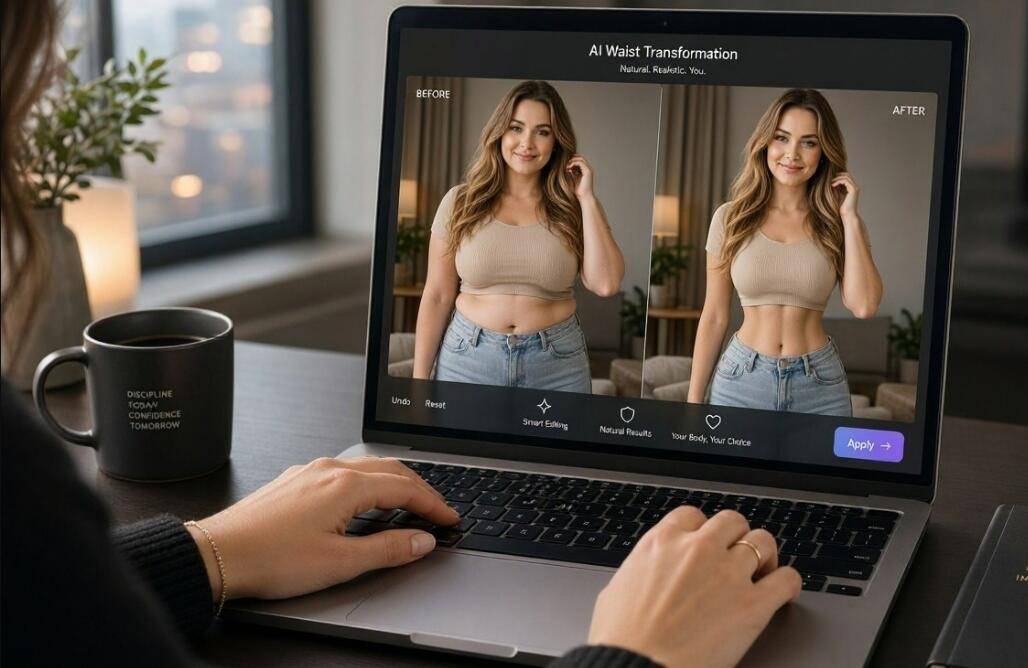
Want to enhance your appearance in videos without spending hours adjusting every frame manually? AI video body editors make it easier to refine body proportions, improve silhouettes, adjust waistlines, and create more polished-looking footage. Whether you are preparing Instagram Reels, TikTok videos, fitness clips, or lifestyle content, online editing tools can help you achieve your preferred look without installing complicated software. The best options combine intelligent body recognition, easy-to-use controls, and natural-looking results.
- Read also: 7 best free AI hairstyle apps for men (Android/iOS)
- 6 best free AI hairstyle apps for women (Android/iOS)
- 5 best apps with Ghost Filter
- 5 best free palm reading scanner apps
However, finding a genuinely free online body editor can be challenging. Some platforms restrict their best features to paid subscriptions, while others add watermarks when you export edited videos. To help you avoid unnecessary costs, this guide explores five websites worth considering, prioritizing tools that advertise watermark-free downloads. It also distinguishes genuine video-editing features from photo-only body editors, so you can choose a website that actually meets your requirements.
5 Free AI Video Body Editor Websites
Here are five platforms to explore, arranged according to their usefulness for online body editing and video-related workflows.
- PrettyUp — No watermark advertised: Online photo and video body retouching.
- CapCut — Watermark status: Check export settings: Browser-based video editing with AI body retouching.
- Evoto Video — Full-body AI reshaping and professional video retouching; free access is not guaranteed.
- YouCam Video — Video body reshaping with dedicated mobile editing tools; primarily an app-based option.
- Fotor — No watermark advertised for its body photo tool: Online AI body reshaping for still images rather than full video editing.
1. PrettyUp – Best for Online Video Body Retouching
Website: https://www.prettyupapp.com/
PrettyUp is a convenient starting point for anyone looking for an online body editor that supports both photographs and videos. Its browser-based platform combines beauty retouching, body adjustments, facial enhancements, and other visual improvements in one interface. Instead of relying entirely on complicated manual editing, users can select available adjustments and refine their appearance with relatively little effort.
One of its biggest advantages is its focus on video content. You can use the platform to work on personal clips, outfit videos, travel footage, and social media content. Its body editing features are designed to help users refine proportions while maintaining a natural appearance. The platform also provides adjustable effects, allowing you to avoid excessively dramatic transformations.
Key Features
- Online editing for photographs and videos.
- Body reshaping and proportion adjustments.
- Facial retouching and skin enhancement.
- Presets and adjustable editing intensity.
- HD downloads advertised without watermarks.
PrettyUp is free to start, although some AI features use daily credits and availability can depend on the account or editing workflow. Its advertised watermark-free HD downloads make it particularly attractive for creators who want clean exports. Always check the available export options before starting a larger project.
2. CapCut – Best for Combining Body Editing with Video Creation
Website: https://www.capcut.com/
CapCut is a popular browser-based video editing platform that offers considerably more than basic trimming and filters. Its online editing environment includes creative effects, AI-powered features, and retouching options. The platform also documents a body editing workflow through its video editor, where users can explore Smart Tools, Retouch, and Body options.
This makes CapCut useful when you want to improve your appearance and complete the rest of your video in the same project. For example, you can adjust body proportions, refine the overall presentation, add captions, insert music, and prepare footage for vertical social media formats.
Key Features
- AI-assisted body and appearance adjustments.
- Video timeline editing and trimming.
- Filters, transitions, effects, and text overlays.
- Social media-friendly video formats.
- Additional audio and visual enhancement tools.
CapCut provides free editing features, but not every AI feature or export option is necessarily available without restrictions. Its watermark policy can also depend on templates, assets, and the particular export workflow. Therefore, do not assume every free project will automatically produce a watermark-free result. Export a short test clip first and inspect the finished file.
3. Evoto Video – Best for Professional Full-Body Retouching
Website: https://www.evoto.ai/
Evoto Video is worth considering if your priority is more advanced portrait and body retouching rather than simple social media filters. It offers dedicated video editing capabilities alongside AI-powered portrait enhancement. Its documented features include full-body reshaping, facial adjustments, skin retouching, and other professional visual corrections.
The full-body reshape functionality makes it particularly interesting for creators who work with fashion footage, promotional videos, and portrait-oriented content. Rather than treating the entire image as one object, its editing tools provide options for adjusting different aspects of a person's appearance.
Key Features
- AI-powered full-body reshaping.
- Facial and skin retouching.
- Advanced portrait enhancement.
- Video export and project editing options.
- Professional-oriented adjustment controls.
One important consideration is pricing. Evoto Video should not be treated as a permanently free website. Its export pricing and available introductory credits should be checked before committing to a project. It is included as an advanced alternative rather than a confirmed unlimited free option. Watermark-free export conditions should also be verified against the current plan.
4. YouCam Video – Best for Detailed Body Adjustments
Website: https://www.perfectcorp.com/
YouCam Video, developed by Perfect Corp, is designed for users who want more control over their appearance in moving footage. Its body editing tools include adjustments for the waist, hips, arms, legs, chest, shoulders, and overall figure. This makes it especially useful for selfie videos, outfit presentations, and short lifestyle clips.
Unlike basic beauty filters, dedicated body editing controls allow users to focus on specific areas. You can make subtle adjustments instead of applying a single effect to the entire video. The software is also designed to work with moving subjects, which is important when editing footage containing walking, dancing, or changing camera angles.
Key Features
- Waist and overall figure adjustments.
- Arm, leg, chest, and shoulder reshaping.
- Height and proportion adjustments.
- Video-focused beauty retouching.
- Additional facial enhancement features.
There is an important distinction here: YouCam Video is primarily a mobile application rather than a confirmed browser-based video body editor. Its online ecosystem also offers separate photo editing tools. Free availability and watermark conditions depend on the specific product and subscription. It is a useful alternative if you are comfortable editing videos on a smartphone.
5. Fotor – Best for AI Body Editing Before Video Production
Website: https://www.fotor.com/
Fotor is another accessible online platform for users interested in AI-powered body enhancement. Its body reshaping tool allows you to adjust specific areas, including the waist, arms, legs, hips, and shoulders. You can also control the intensity of adjustments to create a more balanced appearance.
Although Fotor is not a dedicated AI video body editor, it deserves consideration as an alternative for creators who combine edited photographs with video content. For example, you can prepare polished promotional images, thumbnails, and social media graphics before incorporating them into a video project.
Key Features
- AI-assisted body reshaping for photographs.
- Adjustable waist, arm, leg, and hip proportions.
- Background-conscious editing tools.
- Additional photo enhancement and retouching features.
- Online access without installing desktop software.
Fotor advertises watermark-free downloads for its body reshaping photo tool. However, its free body editor should not be confused with a video body editing feature. Some functions also require an account or paid access. If your main objective is reshaping an existing video, choose PrettyUp or investigate CapCut first.
How to Choose the Right AI Video Body Editor
Choosing an appropriate editor depends on your content, editing experience, and budget. Before uploading your footage, consider the following factors:
Check Watermark Restrictions
A free editing interface does not necessarily mean free, watermark-free exports. Look for explicit information about export quality, subscription requirements, and free credits. Whenever possible, export a short sample before editing an entire video.
Prioritize Natural Results
Good body editing should preserve realistic proportions, clothing details, and surrounding backgrounds. Avoid excessive adjustments that create distorted walls, bent furniture, or unnatural body movements.
Consider Video Tracking Capabilities
Body reshaping in a photograph is relatively straightforward compared with editing a moving subject. Look for tools that maintain consistent adjustments across different frames, particularly when the subject changes position or moves closer to the camera.
Tips for Getting Better AI Body Editing Results
Even the best AI editor cannot automatically correct every problem in your original footage. A few practical techniques can significantly improve your results:
- Use clear footage: Good lighting and sharp video make it easier for AI systems to identify body contours.
- Avoid excessive adjustments: Small changes generally look more realistic than dramatic reshaping.
- Keep the background in mind: Straight lines, mirrors, and patterned walls can reveal unwanted distortions.
- Review the entire clip: Check different frames to identify inconsistent body proportions or visual artifacts.
- Protect your privacy: Read the website's privacy policy before uploading personal videos, especially footage containing other people.
Frequently Asked Questions (FAQ)
Are there completely free AI video body editors online?
Yes, some platforms provide free access to online video editing and body retouching features. PrettyUp and CapCut are useful starting points. However, free credits, feature availability, and export restrictions vary, so check the current conditions before editing.
Which AI video body editor offers watermark-free downloads?
PrettyUp explicitly advertises HD downloads without watermarks. CapCut offers free exports, but the final watermark status can depend on the editing workflow and selected assets. Always test your export before publishing.
Can I reshape my waist in an existing video?
Yes. Video-focused body editing tools can adjust the waist and other body proportions throughout a clip. PrettyUp and YouCam Video are relevant options, although their supported features and availability differ.
Are online AI body editors safe to use?
They can be useful, but uploading personal footage always involves privacy considerations. Review the platform's data retention policy, check whether uploaded files are shared with third-party AI providers, and avoid uploading sensitive material unnecessarily.
Can I use these tools on my phone?
Many online editing websites support mobile browsers, while some tools offer dedicated smartphone applications. PrettyUp and CapCut provide mobile-friendly editing options. However, advanced video processing may be easier on a desktop computer.
Final Thoughts
Finding a free AI video body editor that delivers natural results without unwanted watermarks requires more than choosing the first website appearing in search results. Each platform has different strengths, and some are designed specifically for video while others focus on photo enhancement. PrettyUp is a strong starting point for online video body retouching, while CapCut is particularly useful for combining appearance adjustments with a complete video editing workflow.
Ultimately, the best choice depends on your editing requirements, desired output quality, and willingness to work within free usage limitations. Start with a short test video, compare the results, and check the exported file before investing time in a larger project. With the right tool and moderate adjustments, you can create polished, natural-looking videos without immediately paying for expensive editing software.