The 5 best apps (Android/iOS) with Ghost Filter for making Halloween videos
Welcome to Blackview (Well-known Chinese brand of rugged smartphones, AI smart glasses, and Android tablets) blog. Hope this guide has been helpful.
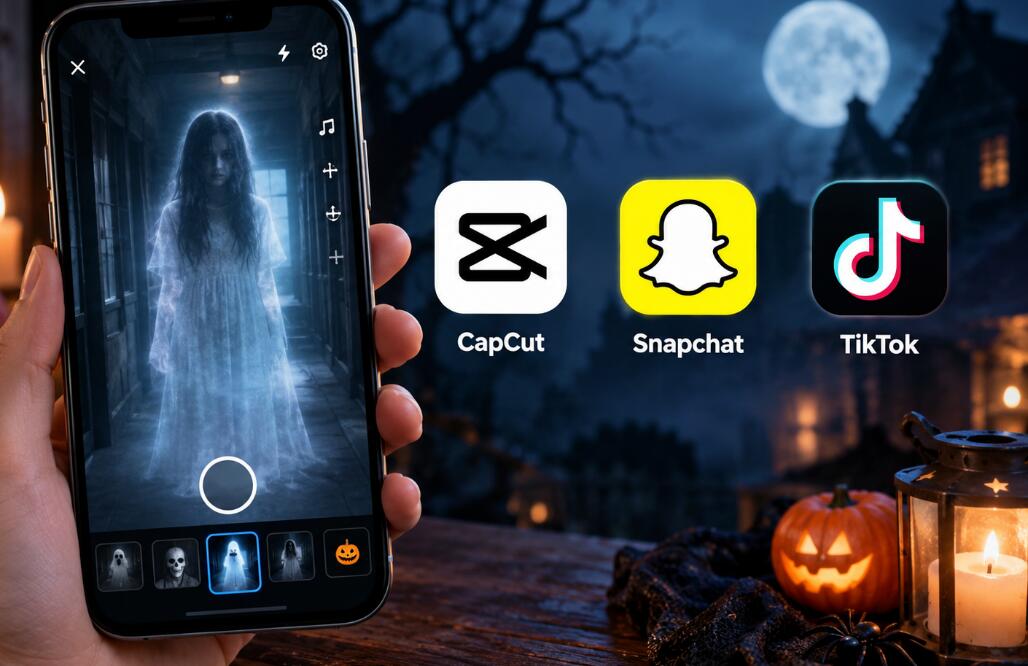
Halloween videos are more exciting when ordinary footage becomes something mysterious, unsettling, and unforgettable. Whether you want to create a floating ghost in a dark hallway, transform your face into a supernatural character, or make a friend appear to vanish into thin air, the right mobile app can help you achieve these effects without expensive cameras or complicated editing software. From real-time augmented reality (AR) filters to layered video effects, today's mobile tools make it easier than ever to produce spooky clips for TikTok, Instagram Reels, YouTube Shorts, and private Halloween parties.
- Read also: 6 best free body slim photo editor apps to slim a body
- 5 best apps for whitening yellow teeth in photos via AI
- 5 free palm reading scanner apps for Android/iOS
- Best app for removing wrinkles from clothes in a photo
However, not every ghost filter works the same way. Some apps focus on live facial transformations, while others let you create transparent apparitions, combine multiple recordings, or edit an entire horror-themed video. Choosing the right tool depends on your preferred style, editing experience, device compatibility, and budget. This guide explores five useful Android and iOS apps for making Halloween videos, explains their strengths and limitations, and shares practical techniques for creating convincing ghost effects.
Five apps worth trying for Halloween ghost videos
Here is a quick list of the five apps featured in this guide:
- Snapchat
- CapCut
- TikTok
- Ghost Lens AR Pro Video Editor
- Picsart
1. Snapchat: Best for real-time ghost filters
Snapchat is an excellent starting point for beginners who want to transform their appearance or surroundings while recording. Its Lens library includes creative augmented-reality effects, face transformations, and seasonal filters that can give Halloween videos a supernatural look. Available effects change over time, so searching for terms such as “ghost,” “haunted,” “spooky,” or “Halloween” is often the easiest way to discover suitable options.
Key features
- Real-time face tracking and interactive AR effects.
- Quick video recording with filters applied during capture.
- Built-in tools for adding captions, sounds, and stickers.
- Easy sharing through Stories and other social features.
To make a ghost video, open the camera, explore the Lens carousel, and search for a suitable effect. Record a short clip in a dim but sufficiently illuminated location, then add a suspenseful sound or a brief caption. For a more convincing result, move slowly and let the ghostly appearance remain visible for a few seconds before cutting away.
Snapchat is particularly suitable for spontaneous Halloween challenges and funny supernatural transformations. Its main limitation is that available Lenses can change or disappear, and some effects require an internet connection. For official inspiration, explore Snapchat's ghost-effect tutorials.
2. CapCut: Best for cinematic ghost effects
CapCut is a strong choice for creators who want more control over the finished video. Rather than relying exclusively on a live filter, you can combine footage, overlays, transitions, sound effects, and color adjustments to create a short horror sequence. Its template library also offers ghost-themed editing ideas that can help beginners achieve a polished result quickly.
Key features
- Multitrack editing for combining video clips and overlays.
- Transitions, visual effects, text, and audio tools.
- Templates designed for vertical social-media videos.
- Editing controls for timing, cropping, and visual consistency.
For a classic disappearing-ghost effect, record yourself standing in a fixed position, then record the same scene again without moving the camera. Layer the recordings and adjust the upper clip's opacity to make the person appear translucent. A carefully timed fade-in or fade-out can make the apparition seem to emerge from darkness or vanish into the background.
CapCut is ideal for creators who enjoy experimenting with timing and composition. Some templates and advanced features may be restricted by region, subscription tier, or app version.
3. TikTok: Best for trending Halloween effects
TikTok combines short-form video creation with a discovery system built around effects, sounds, and creative trends. Its effects library can help you find ghostly facial transformations and spooky visual treatments without switching between multiple applications. It is especially useful when your main goal is to participate in a Halloween trend or publish a short, attention-grabbing clip.
Key features
- Searchable effects and filters, depending on availability.
- Soundtracks, voice effects, captions, and text overlays.
- Quick recording and trimming for short-form videos.
- Creative inspiration from other users' Halloween videos.
Start by searching TikTok's effects or videos for ghost-filter ideas. Choose a suitable effect, record a few short takes, and pair the strongest one with an eerie sound or an unexpected reveal. A simple sequence works particularly well: show an apparently empty room, introduce a ghostly figure in the background, and end with a sudden close-up or cut to black.
TikTok is convenient for trend-driven content, but its effects and features may vary by location, account, and app version. If a specific ghost filter is unavailable, create the effect in a separate editor and upload the finished clip. This approach also gives you more control over the final appearance.
4. Ghost Lens AR Pro Video Editor: Best for transparent apparitions
Ghost Lens AR Pro Video Editor is a more specialized option for creating paranormal illusions. Its advertised features include ghost-like transparency, fade-in and fade-out effects, layered footage, split-screen compositions, and the ability to make a person appear in multiple places within one scene. These capabilities are particularly useful for classic haunted-house videos and out-of-body illusions.
Key features
- Layered footage for creating transparent ghost figures.
- Opacity adjustments and fading effects.
- Split-screen layouts for cloning a person in one scene.
- Filters, stickers, text, and background music.
To create a spectral double, record a background clip with the camera held completely still. Record a second clip featuring the person acting like a ghost, ideally moving slowly and wearing clothing that contrasts with the background. Combine the clips, lower the upper layer's opacity, and adjust the timing until the figure appears to drift through the scene.
This app is particularly relevant for users who want to create a specific ghost illusion instead of applying a conventional face filter. However, compatibility deserves attention: its App Store listing identifies iPhone and iPad support, and availability on Android should not be assumed. Check the current listing, supported operating-system version, pricing, and privacy information before installing.
5. Picsart: Best for creative ghost overlays
Picsart is a versatile editing option for creators who want to combine ghostly imagery with a broader visual design. It is useful for adding supernatural elements to existing footage, preparing eerie title cards, and creating layered compositions with stickers, cutouts, and visual adjustments. Depending on the available tools and workflow, you can prepare ghost graphics separately and incorporate them into a video-editing project.
Key features
- Creative stickers, overlays, and visual assets.
- Image cutouts and compositing tools for ghost illustrations.
- Color adjustments and atmospheric visual treatments.
- Design options for titles, thumbnails, and promotional graphics.
For a simple effect, create or select a ghost graphic with a transparent background, place it over a dark hallway clip in a compatible video editor, and adjust its opacity and position. A subtle blur, cool color grading, and gradual movement can make the ghost feel more integrated with the scene. Keep the overlay consistent with the direction of the lighting to avoid an artificial, sticker-like appearance.
Picsart works best when you want artistic flexibility rather than a single dedicated ghost-camera feature. Some assets and editing options may require payment, and individual tools may differ between mobile platforms. For a complete video, you may prefer to combine Picsart's visual assets with CapCut's timeline and audio controls.
Choosing the right app for your Halloween project
The best app depends on how you plan to create and share your video. Before installing anything, consider whether you want a live effect, a cinematic illusion, or a heavily edited social-media clip.
- For beginners: Choose Snapchat for quick, live transformations.
- For cinematic editing: Choose CapCut for layered clips and precise timing.
- For social-media trends: Try TikTok's available effects and sounds.
- For ghost illusions: Consider Ghost Lens AR Pro on a compatible Apple device.
- For custom visuals: Use Picsart to prepare overlays and creative assets.
Also consider export quality, watermarks, subscription requirements, and available storage. A rugged smartphone (such as the Blackview XPLORE 6) is very useful when filming outdoors in challenging conditions, but it does not automatically guarantee better video quality or improved low-light performance. Camera capability, stabilization, and lighting remain important.
How to make a realistic ghost effect
Even the best filter cannot compensate for poor scene planning. Use these techniques to make your Halloween video more convincing:
- Stabilize the camera: Use a tripod or fixed surface when recording clips that need to be layered.
- Control the lighting: Keep enough light on the subject for clear edges, then darken the scene during editing.
- Move deliberately: Slow, unnatural movements often look more supernatural than exaggerated gestures.
- Use opacity carefully: A ghost should remain visible enough to recognize without looking like a solid person.
- Build suspense: Introduce the figure gradually rather than revealing every effect immediately.
- Balance the sound: Add footsteps, wind, or subtle ambient noise without overwhelming the dialogue.
Before exporting, watch the clip with the sound on and off. Check for distracting edges, inconsistent shadows, sudden exposure changes, and transitions that reveal the illusion too early. Shorter clips often work better because they leave the viewer wanting to watch again.
Editing, privacy, and sharing tips
Halloween videos often feature friends, family members, or unfamiliar locations. Ask permission before posting identifiable footage of other people, and avoid recording private spaces without consent. Review each app's privacy settings and consider whether drafts, uploads, or cloud-based editing involve sending content to an online service.
For social-media publishing, export in a format and aspect ratio suited to the destination. Vertical 9:16 video is generally a practical choice for TikTok, Reels, and Shorts. Keep text away from interface overlays, preview the result on a phone, and retain an unedited copy of your original footage so that you can revise the effect later.
FAQs
Which app is best for a free ghost filter?
Snapchat and TikTok are convenient places to begin because they offer built-in effects and quick recording tools. CapCut is another useful option for editing ghost-themed clips. However, free access, premium effects, and available filters can change, so check the current app listing and in-app terms.
Can I make a ghost video without a special filter?
Yes. Record a stationary background and a second clip featuring the person you want to appear as a ghost. Layer the footage in an editor, reduce the upper layer's opacity, and add fade transitions. A stable camera and matching lighting will make the illusion much more convincing.
Are ghost-filter apps available on both Android and iOS?
Snapchat, CapCut, TikTok, and Picsart have mobile versions for Android and iOS, although features and regional availability can differ. Ghost Lens AR Pro's cited listing is for Apple devices, so Android users should verify compatibility or choose a cross-platform alternative.
How can I make my Halloween video look more professional?
Plan a short story, stabilize your camera, use deliberate lighting, and synchronize the ghost's appearance with the soundtrack. Avoid excessive filters and transitions. A subtle, well-timed apparition often looks more believable than a screen filled with visual effects.
Do I need to pay to create Halloween videos?
Not necessarily. You can start with free recording and editing tools, but some advanced effects, templates, or export options may require payment. Check pricing and watermark restrictions before spending time on a project.
Why does my ghost effect look unnatural?
Common causes include camera movement between recordings, mismatched lighting, overly high opacity, and poorly aligned layers. Lock the camera position, match the background across clips, soften the ghost's edges when appropriate, and adjust transparency until the figure blends naturally into the scene.
Conclusion
The right ghost-filter app can transform an ordinary Halloween recording into an entertaining supernatural story. Snapchat and TikTok are convenient for fast, live effects, CapCut offers greater editing control, Ghost Lens AR Pro specializes in transparent apparitions, and Picsart helps create custom visual elements. Each app serves a different purpose, so the best choice depends on your preferred style, device, and editing experience.
Ultimately, compelling Halloween videos rely on more than filters alone. Thoughtful lighting, steady footage, convincing timing, and carefully chosen sound effects can make even a simple ghost illusion memorable. Start with one effect, experiment with a few short clips, and refine the result before sharing it. With the right combination of creativity and technique, you can create spooky videos that entertain friends, impress followers, and capture the spirit of Halloween.