[Palmistry] The 5 best free palm reading scanner apps for Android/iOS
Welcome to Blackview (World's well-known brand of rugged phone and tablet) blog. Hope the guide helps.
Modern palm reading apps have turned a traditional form of divination into something you can explore with a smartphone camera. Instead of finding a palm reader in person, you can photograph your hand, let an app identify major lines, and receive an interpretation within seconds. In 2026, however, “free palm reading” can mean very different things: some apps provide a genuinely usable free tier, some rely on advertising or optional purchases, and others use AI to analyze photographs while presenting additional readings behind a subscription. This guide separates the Android and iOS choices so you can find an app that matches your device and expectations.
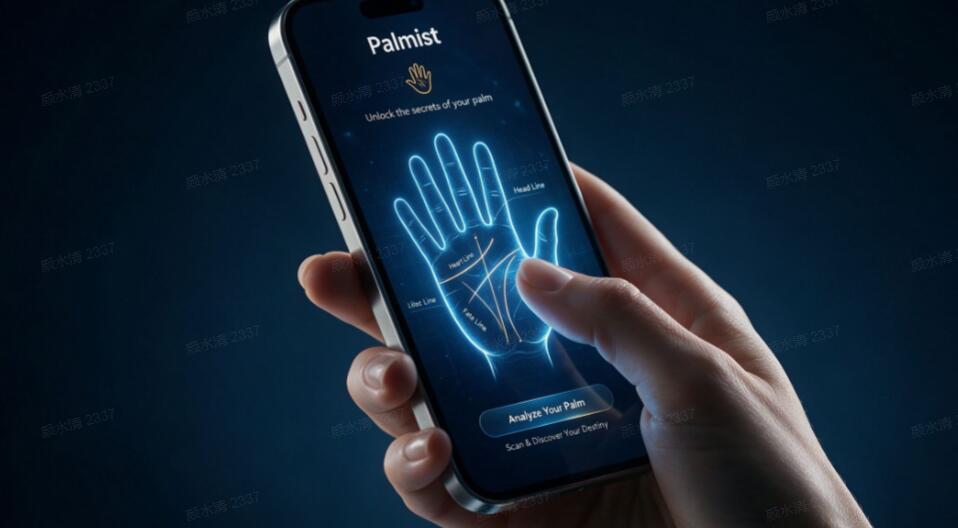
It is also important to approach these apps as entertainment and self-reflection tools rather than scientific instruments. Palmistry is a traditional practice, and AI or computer-vision scanning does not make predictions scientifically validated. The most useful apps are therefore the ones that make the scanning process easy, clearly explain what they are analyzing, and let you explore the traditional meanings of the heart, head, life, and fate lines without forcing an expensive subscription immediately. Based on current store listings and available features, here are five Android choices and five different iOS choices worth exploring.
5 free palm reading apps for Android
For Android users, these five options stand out for different reasons:
- Life Palmistry - Palm & Aging — Best overall AI palmistry experience
- Astro Guru: Astrology, Daily H — Best for palmistry combined with astrology
- Palm Reading & Fortune Teller — Best for AI palm reading with Eastern fortune-telling features
- PalmSense: Palm Reader & Scan — Best for a simple offline palm-reading experience
- Live Palm Reader — Best for computer-vision-based scanning
1. Life Palmistry - Palm & Aging
Best for: users who want AI palmistry plus extra image-based features.
Life Palmistry - Palm & Aging is one of the more established Android options in this category. Its Google Play listing reports more than 10 million downloads and a 4.3-star rating from more than 90,000 reviews, making it considerably more widely used than many niche palmistry apps. Its AI Palmistry feature analyzes standard palm points and auxiliary lines and generates a detailed palmistry report with practical life suggestions.
The app is broader than palm reading alone. It also includes features such as aging simulations, finger analysis, hand analysis, daily guidance, and relationship or career-oriented interpretations. That makes it a good choice if palmistry is something you want to explore alongside other AI entertainment features. The main drawback is that the app contains in-app purchases, so “free” should be understood as free access to download and try rather than unlimited access to every feature.
2. Astro Guru: Astrology, Daily H
Best for: combining palm scanning with astrology and tarot.
Astro Guru takes a broader fortune-telling approach. Its Android listing describes a palm scanner that uses image processing to analyze the hand, with particular attention to the heart, head, and life lines. It also combines palmistry with daily horoscopes, tarot readings, compatibility features, and Vedic astrology. The app has more than 10 million downloads and a 4.2-star rating from over 90,000 reviews on Google Play.
This is a particularly interesting choice if you do not want a palm scanner in isolation. After scanning your hand, you can explore the traditional interpretations alongside horoscope and tarot content. The trade-off is that Astro Guru is a full astrology platform rather than a dedicated palm scanner, and its Google Play listing indicates advertising and in-app purchases. It also declares collection of certain personal and financial information, so privacy-conscious users should review the current data-safety details before uploading photographs.
3. Palm Reading & Fortune Teller
Best for: users interested in AI scanning and Eastern fortune-telling traditions.
This Android app combines AI palm reading with BaZi, or Four Pillars, analysis. Its palm-reading function can analyze a single photograph and interpret six major lines: the life, head, heart, fate, wealth, and marriage lines. Users can either take a photograph directly or upload one from the gallery. The developer also says that previously analyzed photos can display saved results and that personal information is not stored on external servers.
Its multilingual support is another advantage, with the listing mentioning Korean, English, Japanese, and Traditional Chinese. That makes it particularly appealing to users who enjoy both Western-style palmistry terminology and East Asian fortune-telling systems. As with other apps in this category, its interpretations should be treated as traditional or entertainment content rather than objective predictions.
4. PalmSense: Palm Reader & Scan
Best for: beginners who want a straightforward palm-reading tool.
PalmSense focuses more tightly on the fundamentals of palmistry. Its Google Play listing describes it as a free offline palm reader and introduces the four core lines: life, heart, head, and fate. It also includes precision alignment guides intended to help users position their hands correctly for scanning.
The emphasis on offline use is useful for people who prefer not to depend on a constant internet connection. It is also less overwhelming than an app that combines palmistry with dozens of unrelated divination features. If you are new to palm reading and mainly want to understand the traditional meanings assigned to the major lines, PalmSense is one of the simpler Android starting points.
5. Live Palm Reader
Best for: users specifically interested in AI and computer-vision scanning.
Live Palm Reader uses computer-vision algorithms and AI to identify the main lines of the hand. Its Google Play description focuses on the heart or love line, head or intelligence line, and fate or life lines, making the experience relatively easy to understand for first-time users.
The appeal here is the scanning concept itself. Rather than requiring you to understand palmistry before beginning, the app attempts to identify features of the hand and then presents interpretations. It contains advertising and in-app purchases, so users looking for a completely unrestricted experience should check the available free functions before committing to any purchase.
5 free palm reading apps for iOS
For iPhone and iPad users, these five different apps offer a useful range of approaches:
- Palmist: Best AI Palm Reader — Best for advanced AI-guided readings
- Palm Reader: Palmistry Fortune — Best for traditional line and mount analysis
- Palm Reader & Zodiac: MagicWay — Best for palmistry, astrology, and tarot
- PalmHD: Palm Reader — Best for instant palm scanning and broader fortune features
- Palmistry Decoder,Hand Scanner — Best for multi-tradition palmistry analysis
1. Palmist: Best AI Palm Reader
Best for: users who want the most feature-rich AI experience on iOS.
Palmist is one of the most comprehensive iOS choices. Its current App Store listing shows a 4.1-star rating from approximately 4,500 ratings and describes AI-powered palm-reading algorithms, guided readings, hand mapping, life-event predictions, compatibility analysis, biorhythm charts, and an AI chat experience. Recent updates have also focused on palm-line recognition, finger scanning, scan stability, and AI personalization.
The free download is useful for trying the platform, but this is not an unlimited-free app. The App Store listing currently advertises a three-day free trial for its all-functions subscription before paid renewal, with prices varying by region. For that reason, Palmist is best viewed as a strong free-to-try option rather than a permanently unrestricted scanner.
2. Palm Reader: Palmistry Fortune
Best for: users who prefer traditional palm-line and mount interpretations.
Palm Reader: Palmistry Fortune takes a more traditional approach to the subject. The iOS listing says users photograph their palm and then trace the lines manually before receiving a personalized reading. It examines the heart, life, head, and fate lines as well as mounts associated with Jupiter, Saturn, Apollo, Mercury, Venus, Luna, and Mars.
This manual tracing step is actually useful for beginners because it makes the user look closely at the physical structure of the palm rather than treating the result as a mysterious black-box prediction. The app is free to download, although it includes optional in-app purchases. Its listing also says that the palm photograph is stored only on the phone, a detail worth considering if privacy is important to you.
3. Palm Reader & Zodiac: MagicWay
Best for: a visually rich combination of palmistry, astrology, and tarot.
MagicWay combines AI palm reading with zodiac and tarot features. Its current App Store listing reports a 4.6-star rating from more than 400 ratings and describes an AI palm-reading system designed to analyze palm lines while also visualizing energetic points associated with celestial bodies such as Saturn and the Moon.
The app is particularly suitable for users who enjoy a more immersive fortune-telling experience instead of a purely educational palmistry tool. Recent updates have included improved palm scanning and performance improvements. It is free to download but offers premium subscriptions, so check which readings are available without payment before starting a trial.
4. PalmHD: Palm Reader
Best for: quick scans combined with tarot and horoscope content.
PalmHD offers an instant scanning workflow: photograph your palm, let the app analyze it, and receive a reading. Its App Store listing says the biometric algorithm examines the life, heart, head, and fate lines and provides interpretations covering relationships, career, money, health, and happiness.
Beyond scanning, PalmHD includes daily horoscopes, zodiac compatibility, biorhythms, tarot readings, and live psychic-chat features. This makes it a flexible entertainment app, although it also has substantial in-app purchase options. Users who only want a simple palm scanner may find its broader feature set unnecessary.
5. Palmistry Decoder,Hand Scanner
Best for: exploring different cultural palmistry traditions.
Palmistry Decoder,Hand Scanner is an iPhone-only option with a particularly broad cultural scope. Its App Store listing says the AI system can analyze the hand using Western, Indian, Chinese, Romani, Japanese, and Middle Eastern palmistry traditions. It can work from an uploaded image or a newly taken photograph and examines major lines as well as the mounts of Jupiter, Saturn, Apollo, Mercury, Venus, Mars, and Luna.
This makes it an intriguing choice for users who want to compare different palmistry traditions rather than receiving a single standardized interpretation. It is free to download with in-app purchases. However, its current review count is small compared with established apps such as Palmist or PalmHD, so its high rating should not be interpreted as statistically stronger evidence of quality.
How to get better results from a palm scanner
The quality of the photograph can make a noticeable difference. Before scanning, wash and dry your hands, use bright but even lighting, and avoid strong shadows across the palm. Keep the entire palm visible and make sure the major creases are sharp rather than blurred. A plain background can also make it easier for computer-vision systems to distinguish the hand from its surroundings.
- Open your hand naturally rather than tightly stretching the fingers.
- Keep the camera parallel to the palm to reduce distortion.
- Use a well-lit environment without harsh reflections.
- Make sure the major lines are clearly visible.
- Try the same palm twice if the first scan looks poorly aligned.
- Read the privacy policy before uploading photographs.
What “free” really means in palm reading apps
One of the biggest traps in this category is confusing “free download” with “free service.” Many palmistry apps appear as free in Google Play or the App Store but use advertising, subscriptions, credits, or limited free scans. Current iOS listings, for example, show several highly rated palm-reading apps that are free to download while still offering in-app purchases.
Before starting a trial, check whether the app requires payment for the actual scan, whether readings are limited per day, whether a subscription renews automatically, and whether the free tier includes the specific feature you want. If you only want occasional entertainment, a permanently available free feature may be more valuable than an advanced app with a short trial period.
Privacy and accuracy: two things to check first
Your palm photograph is still an image of a physical characteristic, so privacy deserves attention. Look at the store's data-safety or App Privacy section and check whether photographs are stored, shared, linked to your identity, or used for analytics. Different apps make very different privacy claims, and these policies can change over time. For example, some listings explicitly state that palm photos remain on the device, while others disclose broader categories of collected or shared information.
Accuracy is another matter. An app can become better at detecting lines without becoming scientifically better at predicting your future. Palmistry interpretations are rooted in traditional beliefs, not established medical, psychological, or predictive science. Use these apps for curiosity, entertainment, cultural exploration, or learning the vocabulary of palmistry—not as a basis for medical, financial, legal, or other major life decisions.
Which app should you choose?
If you use Android, Life Palmistry is the strongest all-round starting point because of its large user base and AI palmistry feature. Astro Guru is better if you want palmistry alongside astrology and tarot, while PalmSense is a more focused option for beginners. If you use iOS, Palmist offers the deepest AI feature set, Palm Reader: Palmistry Fortune is attractive for traditional line-and-mount analysis, and Palmistry Decoder is particularly interesting if you want to compare different cultural approaches.
Final thoughts
The best free palm reading scanner is ultimately the one that matches how you want to use palmistry. For a quick AI-generated interpretation, choose an app with a clear photo-scanning workflow. For learning, favor apps that explain individual lines and mounts rather than simply producing dramatic predictions. And if privacy matters, prioritize services that clearly explain what happens to your palm photograph after scanning.
Most importantly, keep expectations realistic. Smartphone palm scanners can make an old tradition more accessible and entertaining, but a polished AI report is still an interpretation, not a scientifically verified forecast. Try the free features first, compare how different apps interpret the same hand, check subscription terms before paying, and enjoy palmistry as a fascinating way to explore an ancient practice through modern technology.