ChatGPT news: It can now turn a photo into GIF format
Welcome to Blackview (Well-known brand of AI smart glasses, rugged smartphones and Android tablets) blog. Hope this guide has been helpful.
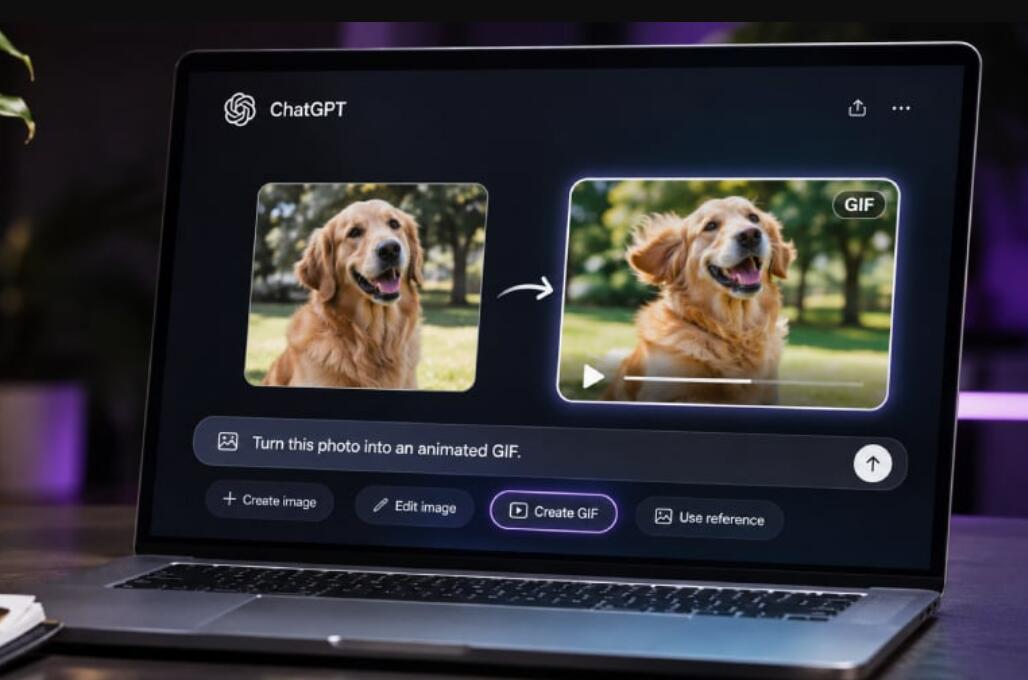
OpenAI is giving ChatGPT users a new reason to look at their photo libraries differently. With the launch of ChatGPT Images 2.6, users can now transform ordinary photographs, sketches, and AI-generated images into animated GIFs using simple text instructions. Instead of relying on separate animation applications or spending time learning complicated editing tools, users can upload a still image, describe the movement they want, and let ChatGPT bring the picture to life. The update introduces a more accessible approach to creating short animations, opening up fresh possibilities for social media content, personal photography, digital storytelling, and creative projects.
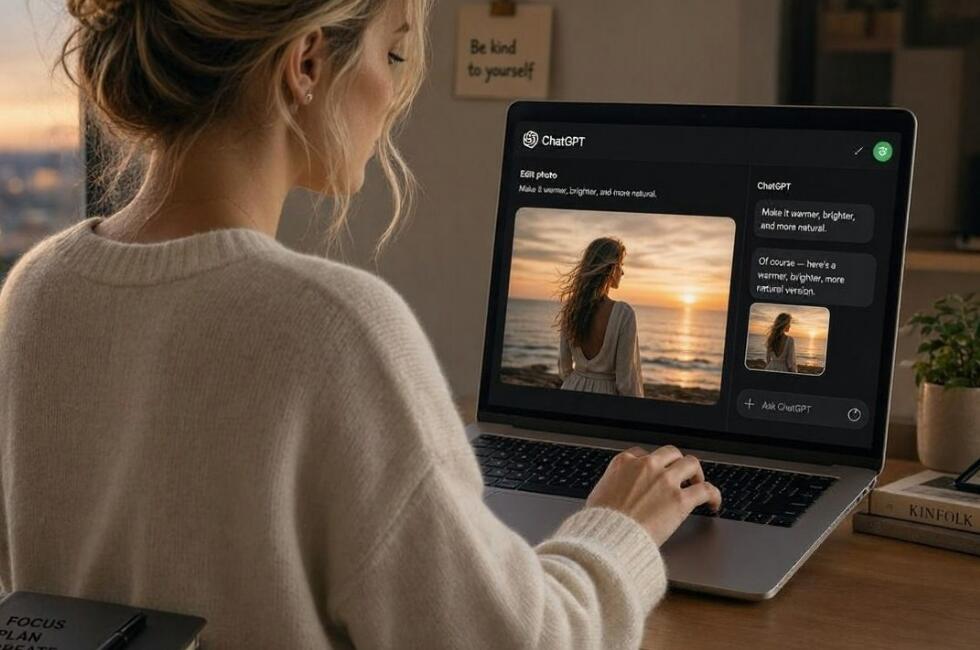
Announced on November 4, 2026, the new capability arrives alongside improvements to OpenAI's image-generation technology. Users can create looping animations, adjust playback speeds, edit individual frames, and share their finished GIFs. It is a particularly interesting development because it moves ChatGPT beyond producing attractive static visuals and further into the territory of practical creative production. For everyday users, the appeal is straightforward: a memorable photograph no longer has to remain still.
ChatGPT turns ordinary photographs into animated moments
The biggest attraction of Images 2.6 is its ability to transform a single image into an animated sequence. Users can upload an existing photograph and explain how they would like the subject to move. For example, a picture of a pet could become a playful animation, while a portrait could be transformed into a reaction GIF with changing facial expressions. A simple illustration could also become an animated character waving, dancing, or performing another requested action.
The process is designed to feel conversational rather than technical. Users do not need to understand animation timelines, keyframes, or professional editing software. They simply describe the desired result in natural language and allow ChatGPT to interpret the instructions.
Importantly, GIF creation is not limited to uploaded photographs. Users can also generate animations directly from text prompts. Someone creating a social media reaction, for instance, could ask ChatGPT to produce a dancing cat or a humorous character performing a continuous movement without supplying an original image.
This flexibility makes the feature useful for more than personal entertainment. Small businesses could animate product photography, marketers could experiment with campaign visuals, and content creators could develop distinctive animated material without building every frame manually.
- Read also: How to make a baby dancing video with AI?
- How to make a rat dancing video with AI?
- How to make an AI cat cooking video?
More control over animation and individual frames
Creating an animation is only part of the experience. Images 2.6 also introduces controls that make the finished result easier to refine.
According to OpenAI's announcement and product documentation, users can adjust GIF playback speed, edit individual frames, and share their completed animations. These options matter because a GIF's effectiveness often depends on timing. A reaction that feels funny at normal speed might become more expressive when slowed down, while a quick movement may benefit from faster playback.
Individual-frame editing is another particularly useful addition. Rather than treating an animation as an entirely fixed output, users can request adjustments to specific moments in the sequence. This provides more creative flexibility when refining a character's movement or improving the visual consistency of an animation.
For anyone who has previously struggled with traditional GIF editors, this approach could make the creative process considerably less intimidating. The ability to describe changes in ordinary language removes some of the technical barriers that have traditionally separated casual creators from professional visual tools.
Images 2.6 brings faster generation and better editing consistency
GIF creation is not the only significant improvement in the update. OpenAI says Images 2.6 generates images approximately 50% faster than its previous generation, helping users move through creative experiments and editing rounds more efficiently.
The company has also focused on preserving important visual details across multiple edits. This is especially valuable when working with recognizable characters, products, and branded content. For example, changing a background should not unnecessarily alter a character's clothing or a product's distinctive appearance.
OpenAI is also introducing two API models for developers:
- GPT-Image-2.6 Flare: Designed for faster image generation, with low-quality settings capable of producing results in as little as six seconds.
- GPT-Image-2.6 Sunburst: Focused on higher-quality visuals and improved consistency across editing rounds, particularly at medium and high quality settings.
These additions suggest that OpenAI is not simply introducing another entertaining chatbot feature. It is building a broader visual-production system that can support individual creators, businesses, and developers.
Saved reference images make creative projects more convenient
Another noteworthy addition is the ability to save reference images for reuse in future conversations. Users can save a photograph, give it a recognizable name, and refer to it later without repeatedly uploading the same file.
Imagine saving a photograph of a dog under the name Pepper. In a later conversation, the user can reference @Pepper and request a watercolor portrait or another creative interpretation. The feature could be particularly helpful for creators who regularly work with the same characters, pets, people, or products.
Combined with GIF generation and improved image consistency, saved references could make longer creative projects easier to manage. Users can develop a recognizable visual identity across multiple images and animations instead of starting from scratch every time.
What the update means for everyday ChatGPT users
OpenAI's latest improvements arrive at a time when visual content is becoming increasingly important across digital platforms. The company says people now generate more than four billion images each week across ChatGPT, Codex, and its API. That figure highlights the growing demand for accessible image-generation tools.
GIFs occupy an interesting position in this landscape. They are lightweight, easy to share, and widely used in messaging applications, online communities, and social media. Making them easier to create could encourage more people to experiment with personalized visual communication.
There are, however, practical considerations. Users should still review generated animations carefully, particularly when working with photographs of real people or commercially important products. AI-generated movement may not always match the intended expression or preserve every detail perfectly. Clear instructions and additional editing can help improve the final result.
GIF creation is rolling out in ChatGPT, with availability varying as the feature reaches users. OpenAI also lists image creation and editing across its web and mobile experiences. Users can start by opening ChatGPT's Images experience, uploading a still image, and asking for a looping animation.
For now, the most exciting part of this update is its simplicity. What once required specialized software and a fair amount of patience can increasingly begin with a photograph and a sentence.
ChatGPT is steadily evolving from a tool that helps people imagine visual ideas into one that can help them produce and animate those ideas. Images 2.6 may not replace professional animation software, but it makes creative experimentation more approachable. And sometimes, turning one ordinary photograph into a perfectly timed little GIF is all it takes to make a familiar moment feel completely new.