How to control the opening and closing of smart curtains with my phone?
Welcome to Blackview (World's well-known brand of rugged phone and tablet) blog. Hope the guide helps.
Smart curtains have become an increasingly popular addition to modern smart homes because they provide greater convenience, improved energy efficiency, and enhanced home automation. Instead of manually opening or closing curtains every day, users can control them remotely using a smartphone (e.g. rugged smartphone). Whether you are at home, at work, or traveling, a smart curtain system allows you to adjust your curtains with just a few taps. This not only makes daily life easier but also helps regulate indoor temperature, protect furniture from excessive sunlight, and improve privacy.
- Read also: How to control air conditioner with phone?
- How to connect smart lock to phone?
- How to set a preset timer for the rice cooker with my phone?
- How do I control the power of a smart socket with my phone?
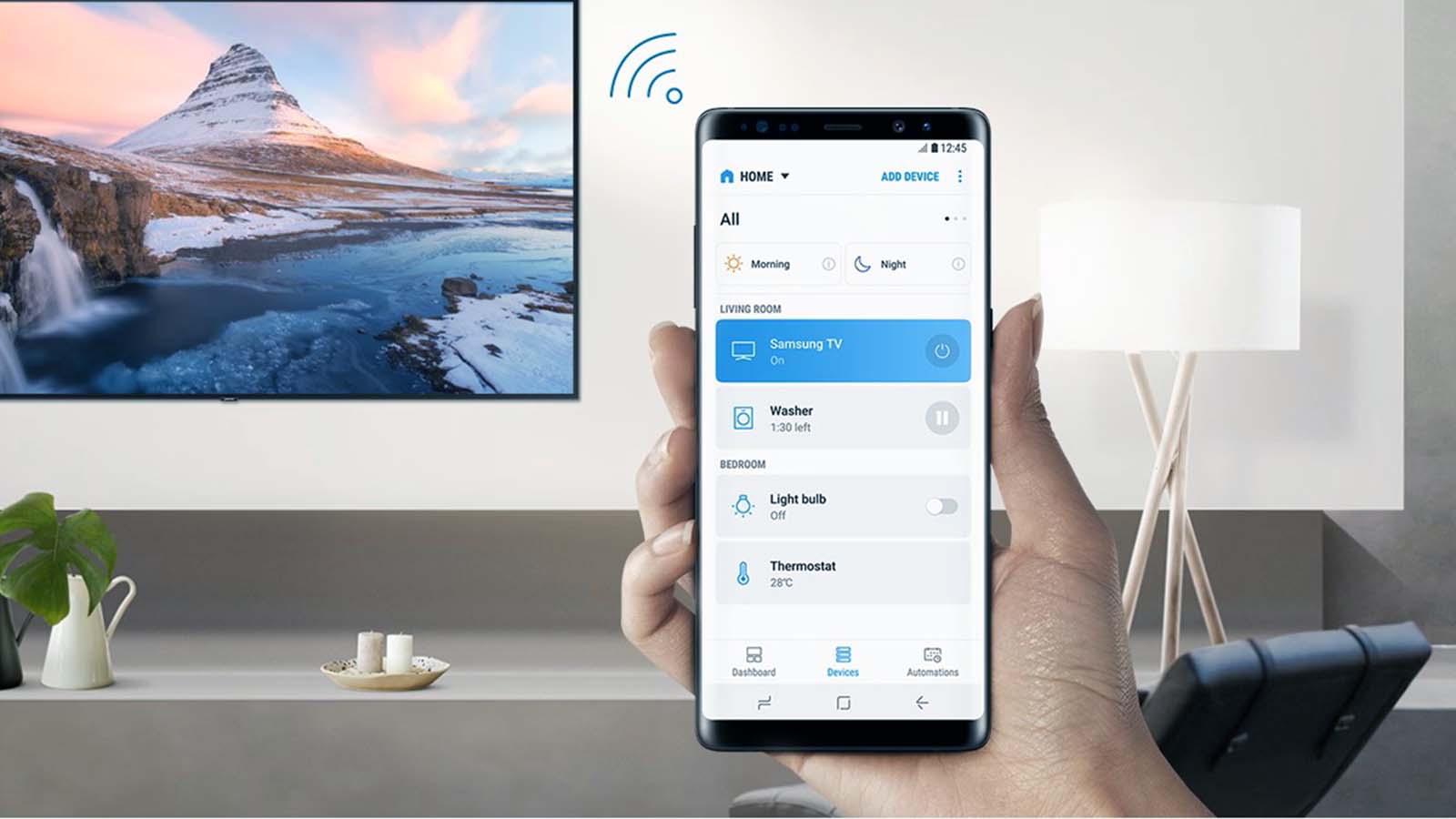
Most smart curtain systems connect through Wi-Fi, Bluetooth, Zigbee, or other smart home communication protocols. They typically work with a dedicated mobile application provided by the manufacturer and may also integrate with popular voice assistants such as Google Assistant, Amazon Alexa, or Apple HomeKit. Once the initial setup is complete, you can schedule curtain movements, automate routines, monitor device status, and even control multiple curtain motors simultaneously. This guide explains everything you need to know about controlling the opening and closing of smart curtains with your phone.
Before getting started, ensure that your smart curtain motor has been installed correctly and that your smartphone has the latest version of the manufacturer's application. It is also recommended to connect the curtain controller to a stable home Wi-Fi network to ensure reliable remote access and automation features.
Requirements Before Connecting Your Smart Curtains
Before pairing your phone with your smart curtains, make sure all necessary equipment is prepared. Having everything ready will make the setup process faster and help avoid connection problems later.
- Install the smart curtain motor according to the manufacturer's instructions.
- Ensure the curtain track moves smoothly without obstruction.
- Download the official smart curtain mobile application.
- Create or sign in to your user account.
- Connect your smartphone to your home Wi-Fi network.
- Power on the smart curtain controller.
- Enable Bluetooth if the device requires Bluetooth pairing.
How to Connect Smart Curtains to Your Phone
Most manufacturers provide a simple pairing process through their mobile application. The following steps describe the typical setup procedure.
Step 1: Install the Mobile Application
Download the official application from the Apple App Store or Google Play Store. Open the app and create an account if you are a new user.
Step 2: Add the Smart Curtain Device
After logging into the application, begin adding your smart curtain controller.
- Open the app dashboard.
- Select the option to add a new device.
- Choose Smart Curtain or Curtain Motor from the product list.
- Follow the on-screen instructions.
- Place the curtain motor into pairing mode if required.
Step 3: Connect to Wi-Fi
The application will usually request your home Wi-Fi information.
- Select your home Wi-Fi network.
- Enter the Wi-Fi password.
- Wait while the curtain motor connects.
- Confirm successful pairing once the device appears in the app.
Step 4: Test the Curtain Controls
Once connected, verify that the controls function properly.
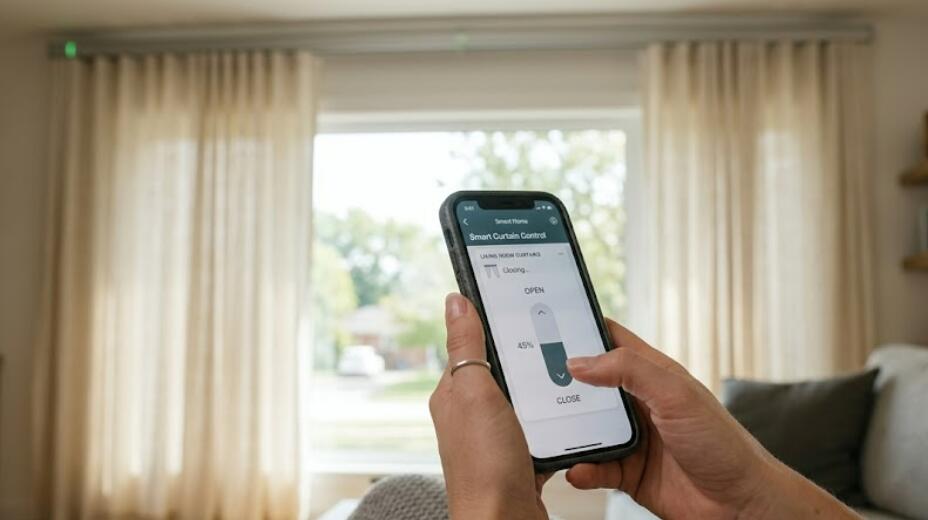
- Tap the Open button to fully open the curtains.
- Tap the Close button to close the curtains.
- Use the Stop button to pause movement midway.
- Adjust the opening percentage if supported.
- Confirm that the curtain responds immediately.
Using Your Phone to Control Smart Curtains
After setup, your smartphone becomes the primary control center for your smart curtain system. Most applications provide several useful control options beyond simple opening and closing.
Open and Close Curtains Remotely
You can control the curtains from virtually anywhere with an internet connection if your smart curtain system supports cloud access.
Adjust Partial Opening
Many smart curtain motors allow users to set the curtain position to a specific percentage, such as 25%, 50%, or 75%, giving more precise control over natural lighting.
Create Daily Schedules
Scheduling is one of the most valuable smart curtain features.
- Automatically open curtains at sunrise.
- Close curtains at sunset.
- Create weekday and weekend schedules.
- Set different schedules for different rooms.
- Modify schedules anytime from your phone.
Create Smart Home Automations
Many smart curtain systems integrate with broader smart home platforms, allowing advanced automation.
- Open curtains when your morning alarm goes off.
- Close curtains when leaving home.
- Synchronize curtain movement with smart lighting.
- Activate privacy mode at night automatically.
- Trigger curtain actions based on temperature or sunlight sensors.
Voice Control Integration
In addition to smartphone control, many smart curtain systems support voice commands through compatible smart assistants.
Examples of Voice Commands
Once configured, simple voice commands can operate the curtains without touching your phone.
- Open the living room curtains.
- Close all curtains.
- Set bedroom curtains to 50 percent.
- Stop the curtains.
- Open the dining room curtains halfway.
Troubleshooting Common Problems
If your smart curtains do not respond correctly, several common issues can usually be resolved quickly.
- Verify that the curtain motor has power.
- Check your home's Wi-Fi connection.
- Ensure your smartphone is connected to the internet.
- Restart both the curtain controller and the mobile application.
- Update the curtain firmware if a newer version is available.
- Reconnect the device if pairing has been lost.
- Inspect the curtain track for physical obstructions.
Benefits of Controlling Smart Curtains with Your Phone
Using a smartphone to manage smart curtains offers numerous practical advantages for everyday living.
Greater Convenience
You can control your curtains from anywhere without manually pulling them open or closed.
Improved Energy Efficiency
Automated curtain schedules help reduce indoor heat during summer and retain warmth during winter, potentially lowering energy consumption.
Enhanced Home Security
Scheduled curtain movement can make an unoccupied home appear lived in, helping improve overall home security while you are away.
Better Comfort
Automatic adjustments based on time or sunlight create a more comfortable indoor environment throughout the day.
Controlling the opening and closing of smart curtains with your phone is a simple yet highly effective way to enhance your smart home experience. With only a few minutes of setup, you can enjoy remote operation, customizable schedules, automation routines, and seamless integration with other smart devices. Whether your goal is convenience, energy savings, or improved privacy, smartphone-controlled curtains provide an efficient and user-friendly solution.
As smart home technology continues to evolve, smart curtains are becoming more intelligent and easier to manage. By following the setup steps, automation ideas, and troubleshooting tips outlined in this guide, you can maximize the performance of your smart curtain system and enjoy effortless control anytime and anywhere using your smartphone.