What Conditions Must Videos Stored on Smartphones Meet for High-Definition Playback on Smart TVs?
Welcome to Blackview (Which offers waterproof rugged phone, phone with projector, and tablet with projector, and more) blog. Hope the guide helps.
In today’s digital age, smartphones have become the primary devices for capturing, storing, and sharing videos. From personal memories to downloaded movies, a vast amount of content resides on mobile devices. However, watching these videos on a small screen often limits the viewing experience. As a result, many users prefer streaming or projecting their mobile videos onto smart TVs for a more immersive, high-definition experience.
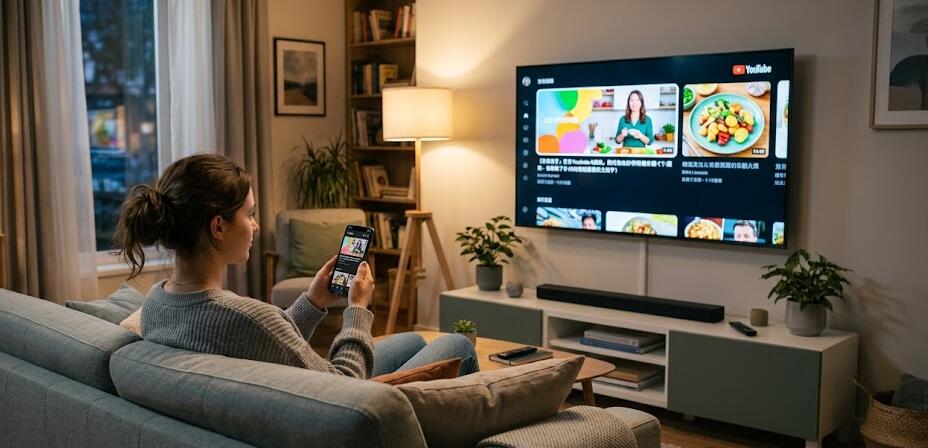
Despite the convenience of connecting a smartphone to a smart TV, achieving high-definition playback is not always guaranteed. Many factors—including video format, resolution, encoding standards, and connection methods—play crucial roles in determining whether a video will display clearly or suffer from lag, distortion, or incompatibility. Understanding these requirements is essential for ensuring smooth and high-quality playback.
Understanding Video Resolution and Quality Standards
The first and most important factor for high-definition playback is the video’s resolution. Resolution determines how sharp and detailed the video appears on a large screen.
Common Resolution Requirements
To achieve HD or higher quality on a smart TV, your video should meet the following benchmarks:
- 720p (1280×720): Minimum for HD playback
- 1080p (1920×1080): Full HD standard
- 4K (3840×2160): Ultra HD for modern smart TVs
Videos recorded or stored below 720p may appear blurry or pixelated when displayed on larger screens. Therefore, ensuring your video is at least Full HD is highly recommended for a satisfying viewing experience.
Compatible Video Formats and Codecs
Even if a video has high resolution, it may not play properly if the format or codec is unsupported by the smart TV.
Popular Supported Formats
Most smart TVs support the following formats:
- MP4 (H.264 or H.265 encoding)
- MKV (widely supported but depends on codec)
- AVI (older format, limited support)
The H.264 codec is the most universally compatible, while H.265 (HEVC) offers better compression and quality but requires newer hardware support. Using incompatible codecs can result in playback failure or missing audio.
Bitrate and Compression Considerations
Bitrate directly affects video clarity and smoothness. A higher bitrate generally results in better quality, but it also requires more bandwidth and processing power.
Recommended Bitrate Levels
For optimal playback:
- 1080p videos: 8–15 Mbps
- 4K videos: 35–68 Mbps
Over-compressed videos may appear blocky or lose detail, while extremely high bitrates may cause buffering or lag, especially when streaming wirelessly.
Conditions of a Video File
To ensure that a video stored on a mobile phone can be played smoothly and in high definition on a smart TV, it must satisfy several technical and compatibility requirements. These conditions go beyond simple resolution and involve encoding standards, file structure, and device compatibility.
Core Technical Requirements
The following are the essential conditions a video should meet:
- Resolution of at least 720p, preferably 1080p or higher
- Encoded using widely supported codecs such as H.264 or H.265
- Saved in compatible container formats like MP4 or MKV
- Maintains a stable and appropriate bitrate for its resolution
Meeting these baseline technical standards ensures that the smart TV can properly decode and display the video without errors or quality loss.
Device and System Compatibility
Beyond the file itself, compatibility with both the mobile device and the smart TV system is crucial:
- The video should be playable on the phone without requiring special apps
- File naming and directory structure should be recognizable by the TV
- Avoid DRM-protected content that restricts external playback
Videos that rely on proprietary formats or restricted playback systems may fail when transferred or cast to a television.
Audio and Subtitle Considerations
High-definition playback also depends on synchronized and supported audio and subtitle tracks:
- Use standard audio codecs such as AAC or MP3
- Avoid unsupported multi-audio tracks or exotic formats
- Ensure subtitle files (if any) are in common formats like SRT
Unsupported audio formats can result in silent playback, while incompatible subtitles may not display correctly on the TV.
File Integrity and Optimization
Finally, the video file must be complete and optimized for playback:
- No corruption or missing data segments
- Properly synchronized audio and video streams
- Reasonable file size relative to device capabilities
Ensuring file integrity and optimization prevents playback interruptions and guarantees a smoother, more enjoyable viewing experience on larger screens.
Connection Methods Between Phone and TV
The way you connect your smartphone to the smart TV significantly impacts playback quality.
Wired vs Wireless Options
There are several connection methods:
- HDMI cable (via adapter): Most stable and highest quality
- Screen mirroring (Miracast/AirPlay): Convenient but may compress quality
- DLNA or casting apps: Good for streaming stored content
Wired connections typically provide the most consistent HD performance, while wireless methods depend heavily on network stability and signal strength.
Network Performance and Stability
When streaming videos wirelessly, network conditions become a critical factor.
Key Network Requirements
To ensure smooth HD playback:
- Use a 5GHz Wi-Fi network instead of 2.4GHz
- Maintain a strong signal between devices
- Avoid network congestion from multiple devices
Poor network performance can lead to buffering, reduced resolution, or playback interruptions, especially for high-bitrate 4K content.
Conclusion: Achieving the Best Viewing Experience
To enjoy high-definition video playback from your smartphone on a smart TV, several conditions must be met. These include having a sufficiently high resolution, using compatible formats and codecs, maintaining appropriate bitrate levels, and choosing the right connection method. Additionally, a stable network and properly managed video files are essential for smooth performance.
By understanding and optimizing these factors, users can transform their smart TVs into powerful media displays, fully utilizing the high-quality content stored on their mobile devices. With the right preparation, the transition from a small screen to a cinematic viewing experience can be seamless and highly rewarding.