How to send text messages without showing phone number?
Last updated: 2026-08-25
Welcome to Blackview (World's well-known brand of rugged smartphones and tablets) blog. Hope the guide helps.
Can you send a standard SMS without showing number?
No, a standard SMS normally identifies the sender through the phone number associated with the mobile service, so there is no universal SMS setting that allows you to send a normal text while completely concealing your number from the recipient. If you need to keep your personal number private, you generally need to use a different communication method or a separate number rather than trying to hide the number within a conventional SMS. Keep reading to find the answer.
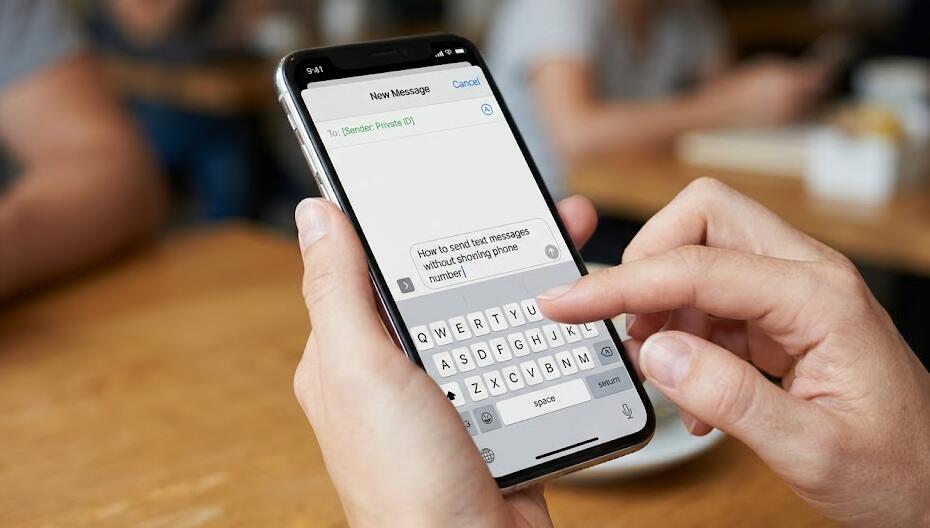
There are several legitimate ways to send messages without revealing your personal phone number. The best method depends on whether you want to protect your privacy from the recipient, keep your personal and professional communications separate, or simply avoid giving your number to someone you do not know well. Instead of relying on complicated workarounds, you can use a messaging service that provides a username, an email address, or a separate number that is not connected to your primary contact information.
If your goal is ordinary privacy, the safest approach is to use a reputable messaging platform with privacy controls or a secondary number service. Keep in mind that “hiding” your number does not necessarily mean becoming completely anonymous. The service provider may still have account information, and some services require a phone number when you create an account. Before sending a message, check exactly what information the recipient can see and review the platform's privacy settings.
1. Use a messaging app with usernames
One of the simplest options is to use a messaging platform (such as Telegram) that allows people to contact you through a username rather than directly through your phone number. Depending on the service, you may be able to create a public username and share it with the person you want to contact. The recipient can then communicate with you without necessarily seeing your personal number.
General steps
- Choose a reputable messaging service that supports usernames or similar privacy features.
- Create an account using the information required by the service.
- Open the account's privacy or profile settings.
- Create or select a username that does not reveal your real name, address, or other unnecessary personal information.
- Adjust the phone-number visibility settings so that your number is not displayed to people you communicate with.
- Share your username or profile link instead of your phone number.
- Send the message through the platform's normal messaging system.
Before relying on this method, test the settings with someone you trust. Some platforms distinguish between hiding your number from other users and preventing people from discovering your account through your number. Those are separate privacy controls, so check both if they are available.
2. Use a separate number for messaging
If you need to communicate by ordinary SMS or want the recipient to receive a conventional text message, using a secondary number can be more practical. A separate mobile number, eSIM, or legitimate second-number service can keep your primary number private while still allowing you to send and receive texts.
How to set it up
- Obtain a legitimate secondary mobile number from a carrier or reputable communications provider.
- Complete any required identity or account verification.
- Install the provider's messaging application if one is required.
- Configure the secondary number on your phone or within the provider's application.
- Confirm that outgoing messages are being sent from the secondary number.
- Send the message using the secondary number rather than your personal number.
- Keep the secondary account secure and review its privacy settings regularly.
This approach is useful for situations such as online marketplaces, temporary business communications, community activities, or contacting people you do not yet know well. It is generally more reliable than trying to manipulate caller-ID or messaging-system behavior.
3. Use email instead of SMS
If the recipient does not specifically require a text message, email can be an easy privacy-conscious alternative. You can create a separate email address for a particular purpose and communicate without revealing your phone number. This is particularly useful for customer inquiries, online communities, freelance work, or other situations where exchanging phone numbers is unnecessary.
Steps for using a separate email identity
- Create a dedicated email account using a neutral address.
- Avoid putting your full name, phone number, home address, or other unnecessary personal information in the account profile.
- Check the account's recovery and visibility settings.
- Send the message from the dedicated address.
- Do not automatically add your personal signature or contact details.
- Keep the account protected with a strong, unique password and appropriate security features.
Email does not provide complete anonymity, because providers can retain technical and account information. However, for ordinary privacy purposes, it can prevent the recipient from seeing your personal telephone number.
4. Contact Your Carrier
Some mobile carriers offer options to send SMS without showing your number or with a custom sender ID. Contact your carrier's customer service to see if this option is available.
Check privacy settings before sending
Many people assume that choosing a username or secondary account automatically hides their phone number. That is not always true. Privacy settings can control several different things, including whether other users can see your number, whether they can find your account using your number, and whether your profile displays identifying information.
Important settings to review
- Who can see your phone number.
- Who can find your account using your phone number.
- Who can see your profile photo or real name.
- Whether your username is publicly searchable.
- Whether contacts are automatically synchronized.
- Whether links or shared profiles expose additional account information.
It is also worth remembering that screenshots, forwarded messages, profile names, photos, and conversation details can reveal your identity even when your phone number is hidden. Privacy therefore depends on the information you share, not only on the number displayed by the messaging service.
Which method is best?
For casual private conversations, a messaging service with username-based communication is often the most convenient choice. For situations where the other person needs to receive a normal text message, a legitimate secondary number is usually more appropriate. If the conversation does not need to happen through SMS at all, a separate email account may be the simplest solution.
What you should avoid
Trying to conceal your number by spoofing another person's caller ID or using deceptive technical methods is not a good privacy strategy. It can create confusion, impersonation risks, and potentially violate laws or service rules. Similarly, temporary or anonymous services that promise complete invisibility may collect more information than users expect.
A safer privacy approach
- Use established communication services with clearly documented privacy policies.
- Use a secondary number when conventional SMS is necessary.
- Use usernames or email addresses when a telephone number is unnecessary.
- Share the minimum personal information required for communication.
- Review account visibility and discoverability settings before contacting someone.
- Never impersonate another person or deliberately misrepresent your identity for harmful purposes.
Ways with risks or not suggest
1. Use Anonymous Texting Apps
Several apps allow you to send SMS messages anonymously or with a different number. But suggest you learn about the risks before using these apps. Here are some popular options:
- Burner: This app provides temporary phone numbers that you can use for calls and texts. Once you're done, you can "burn" the number, which deletes it permanently.
- TextNow: Offers a free phone number that you can use to send SMS messages and make calls. The number is not linked to your real phone number.
- Hushed: Similar to Burner, Hushed provides temporary phone numbers for anonymous texting and calling.
2. Use an Online SMS Service
There are websites that allow you to send SMS without showing your real number. Suggest you learn about the risks before using these websites. Some of these services include:
- TxtDrop: Offers free anonymous text messaging from your computer.
- SendSMSnow: Allows you to send texts anonymously with the option to receive replies.
- OpenTextingOnline: Another service that lets you send anonymous texts.
Steps to use online SMS services:
- Visit one of the above websites.
- Enter the recipient's phone number.
- Compose your message.
- Send the SMS, and your number will remain hidden.
3. Use Email-to-SMS Gateways
You can send an SMS via email without revealing your phone number by using an email-to-SMS gateway.
Steps to use email-to-SMS:
- Open your email client (e.g., Gmail, Outlook).
- Compose a new email.
- In the “To” field, enter the recipient's phone number followed by the SMS gateway domain of their carrier (e.g., for Verizon, use [number]@vtext.com; for AT&T, use [number]@txt.att.net).
- Write your message in the email body.
- Send the email, and it will be delivered as an SMS without showing your phone number.
The above three methods are risky or not recommended.
Ultimately, sending a message without exposing your primary phone number is mainly a matter of choosing the right communication method and configuring it correctly. The strongest privacy setup combines a reputable service, carefully selected account information, and sensible privacy settings. Remember that hiding your phone number is different from being completely anonymous, so avoid sharing other identifying details when privacy is important.
By separating your personal number from communications that do not require it, you can reduce unwanted contact and maintain better control over your digital identity without resorting to deceptive or unreliable techniques.